Announcements | April 2, 2026 | 4 min read
What's New in ReservationKey (April Update)
A roundup of the latest ReservationKey improvements, including the new Stripe dashboard, stronger QuickBooks tools, guided setup, API and webhook support, calendar performance upgrades, image editing, and more.
Over the past few weeks, we have been building new features and refining existing parts of ReservationKey. Much of this work happened behind the scenes, but the result is a faster, more capable system with better integrations and a smoother day-to-day workflow.
Here is a quick overview of the most important updates now available.
- Stripe dashboard inside ReservationKey
- QuickBooks integration improvements
- Guided setup system
- New API and webhooks
- User interface updates
- Image editing with rotate and crop
- Media library improvements
- Same-day SMS messaging
- Faster calendar and tax report performance
- CSV export for full report data
Stripe Dashboard Inside ReservationKey
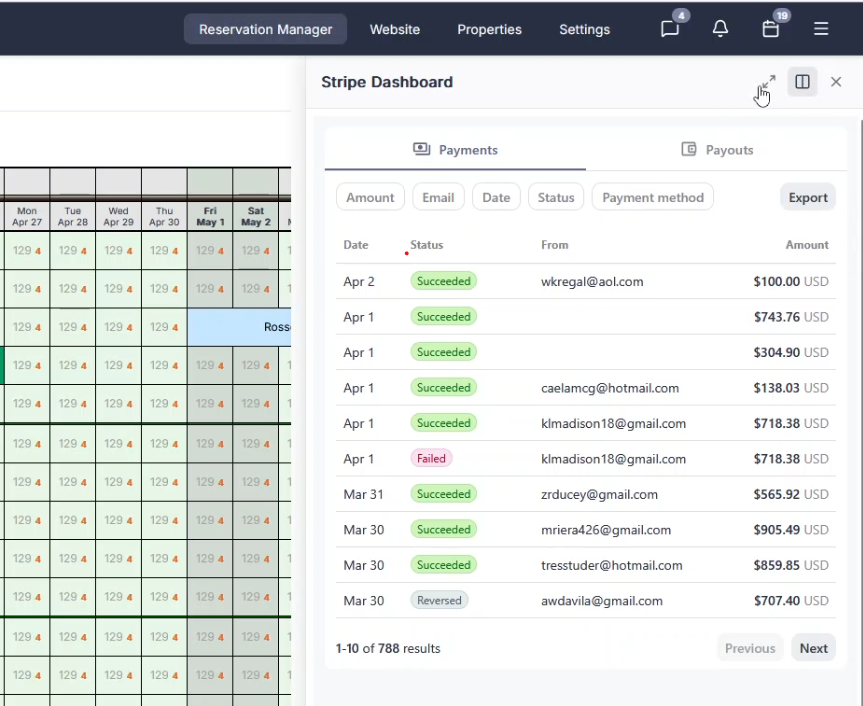
We now have a Stripe dashboard built directly into ReservationKey.
You can review Stripe payments without logging into Stripe separately, making it easier to track transactions and understand exactly what happened with a payment. For example, if a payment fails, you can quickly see the reason, such as insufficient funds.
QuickBooks Integration Improvements
We have continued improving the QuickBooks integration to give you more flexibility and control.
Recent updates include:
- More detailed mapping for taxes, fees, and items
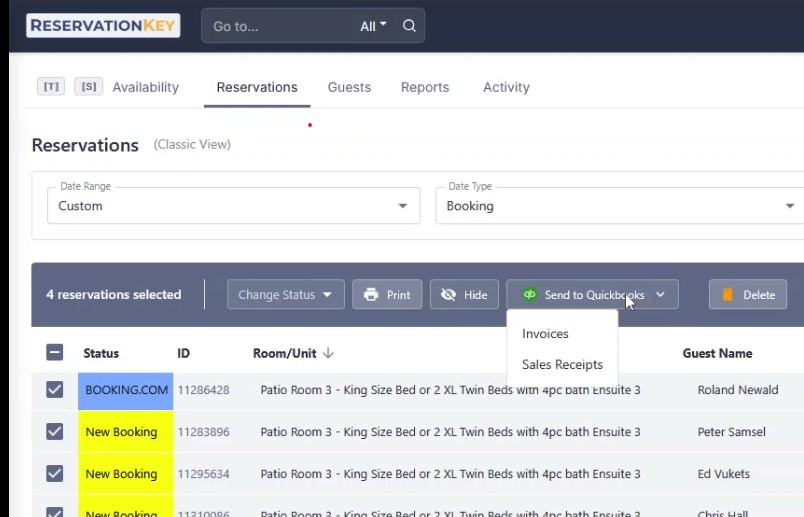
- The ability to send reservations directly to QuickBooks
- The option to create either invoices or sales receipts
To use this feature, go to the Reservations tab, select one or more reservations, and click Send to QuickBooks.
Guided Setup System
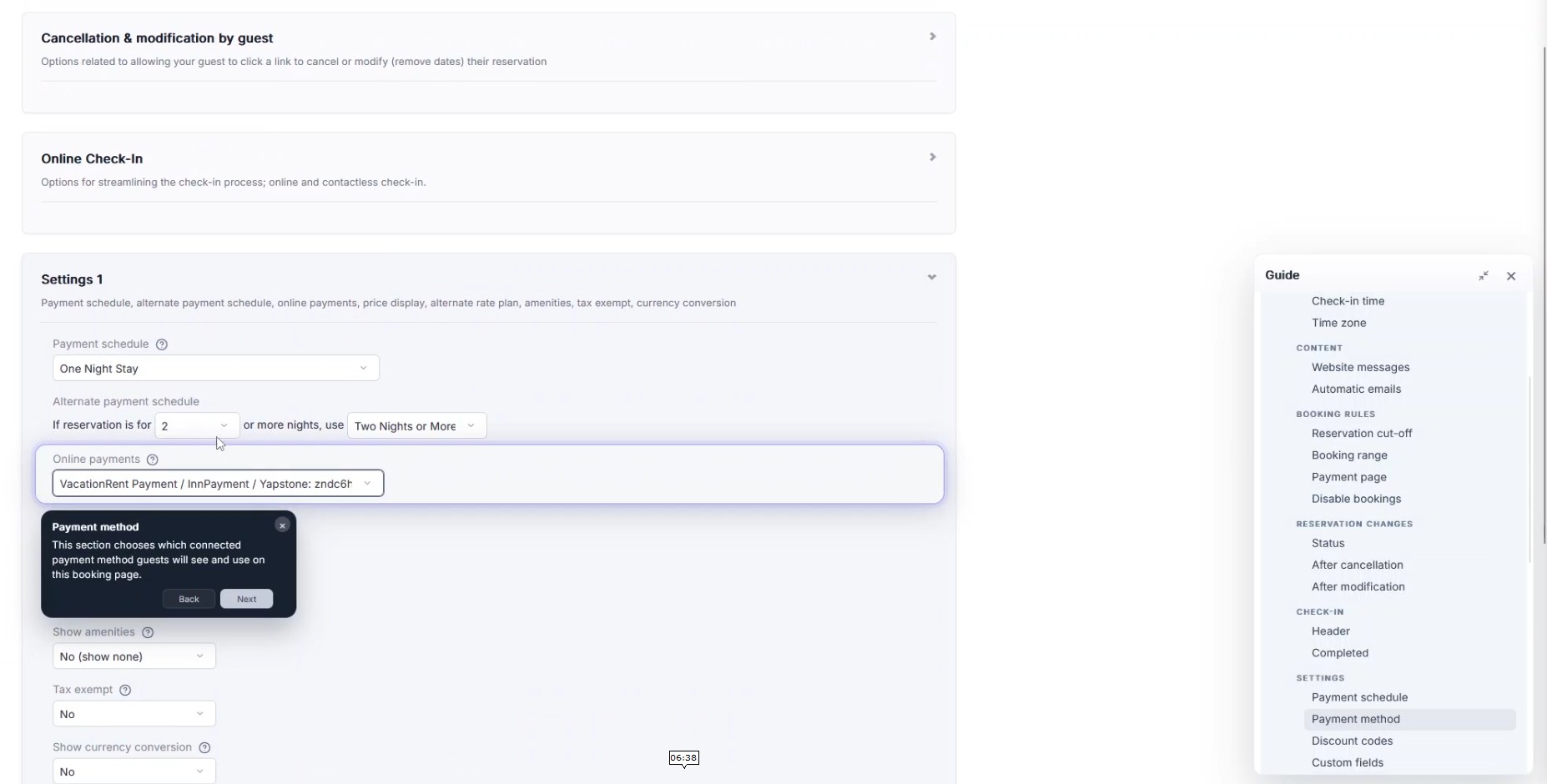
We have added a new guided setup system to make the software easier to navigate, especially when you are configuring an account.
With the new setup guidance, you can:
- Click Guide Me in different sections
- Jump directly to the correct settings
- Follow step-by-step instructions
For newer accounts, the system also displays setup progress with checkmarks and guided steps so it is easier to see what has already been completed.
New API and Webhooks
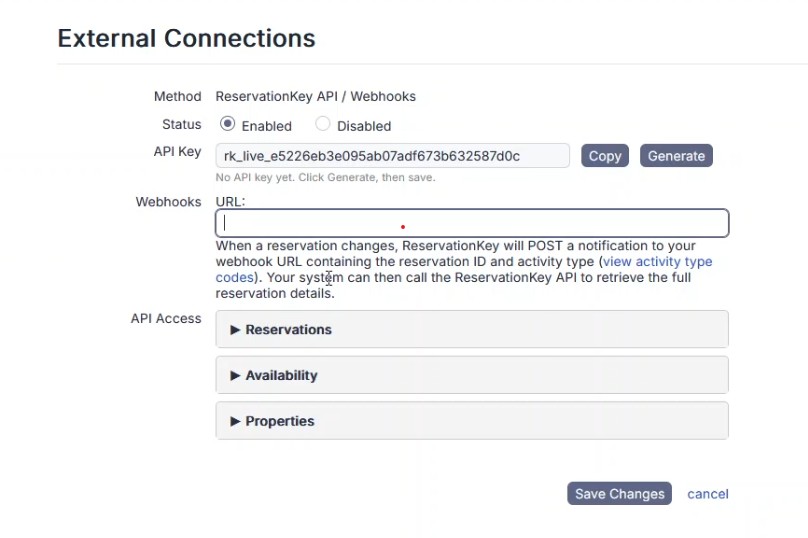
We have launched a new ReservationKey API for users who want to connect external systems to their account.
You can now:
- Generate an API key
- Set up webhook notifications
- Retrieve reservation data through the API
The webhook system sends events to your server, and your application can then query the ReservationKey API to retrieve the full reservation details.
At this stage, the API is focused on reservation data, with plans to expand into availability and property data in the future.
User Interface Updates
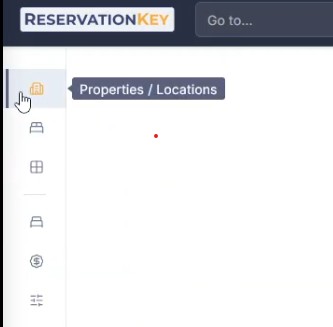
Collapsible Left Navigation
The left navigation menu can now be collapsed, giving you more working space when you need to focus on the main screen content.
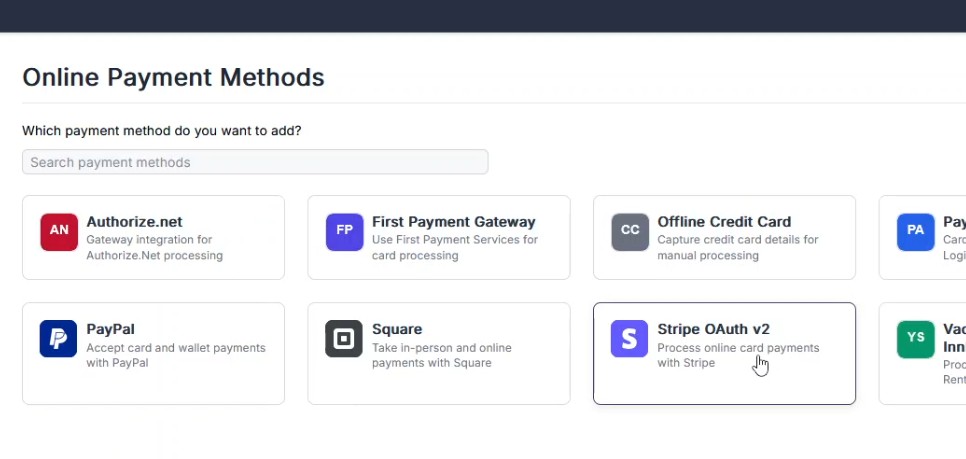
Improved Integrations and Payment Method Screens
We replaced several dropdown menus with searchable directories, making it faster and easier to find integrations and payment methods.
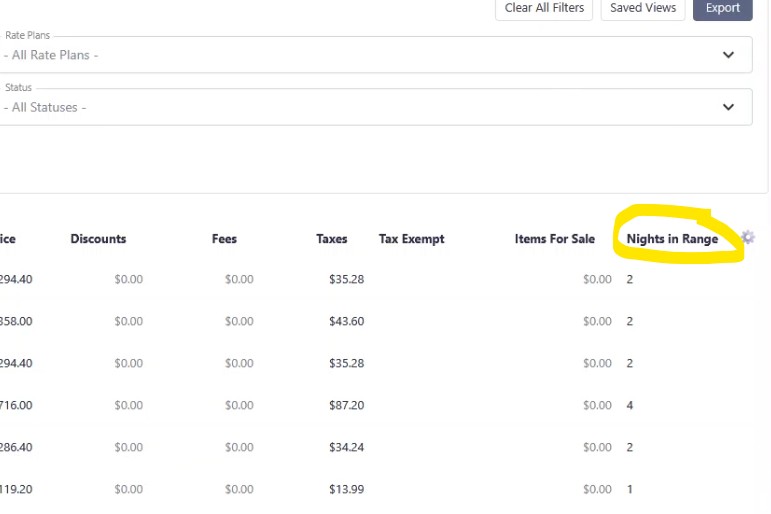
Nights in Range Column
We added a new Nights in Range column in the reservations view.
This is especially useful for reports that include reservations overlapping a selected date range. Instead of counting the full stay, you can now see only the nights that fall within the range you are analyzing.
Faster Calendar and Drag Selection
The reservation calendar is now significantly faster, including for larger accounts with more units and more data.
We also added the ability to drag across multiple rows to quickly create or modify reservations, which makes calendar work much faster.
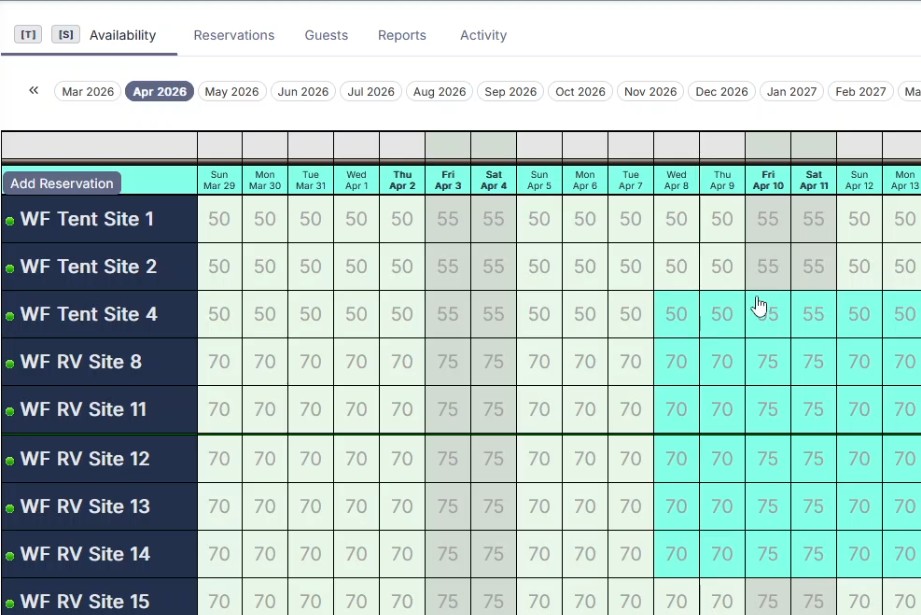
Image Editing: Rotate and Crop
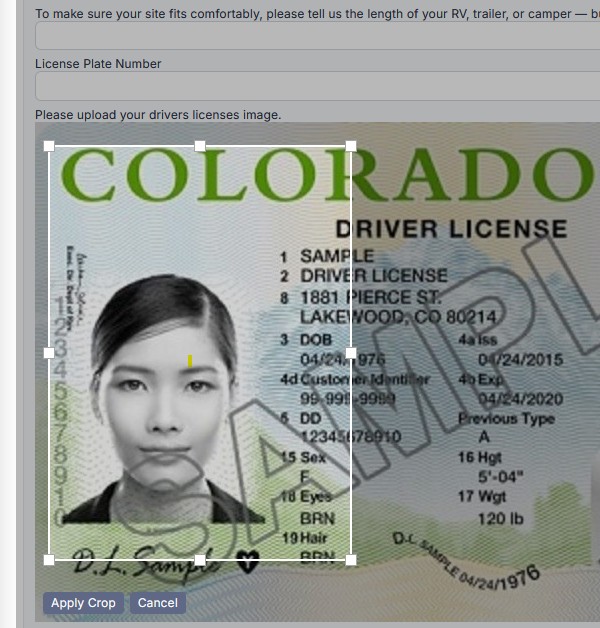
You can now edit uploaded images directly inside ReservationKey.
New tools include:
- Rotate images
- Crop images
This removes the need to edit images outside the system before uploading them.
These tools are also available to guests who upload images through the reservation page.
Media Library Improvements
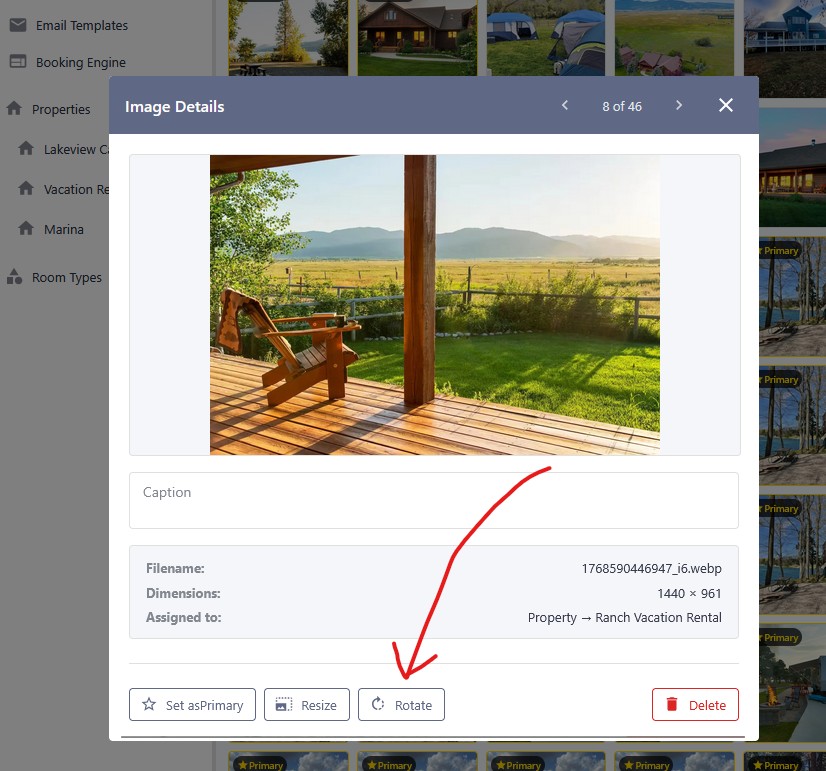
The media library now includes a rotate option for images.
If an image uploads with the wrong orientation, you can fix it immediately without leaving ReservationKey.
Same-Day SMS Messaging
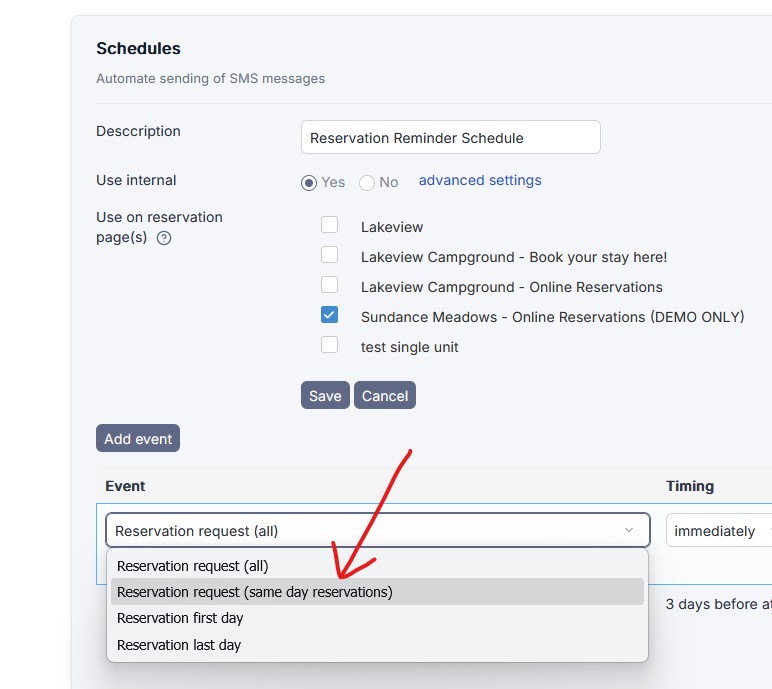
We added a new option to send text messages for same-day bookings.
This is especially useful for sending important information, such as check-in instructions, when a guest books and arrives on the same day.
Performance Improvements
Faster Calendar
The reservation calendar now loads much faster, even for accounts with many units.
Faster Tax Reports
Tax reports now:
- Load faster
- Support larger date ranges
- Display totals more quickly
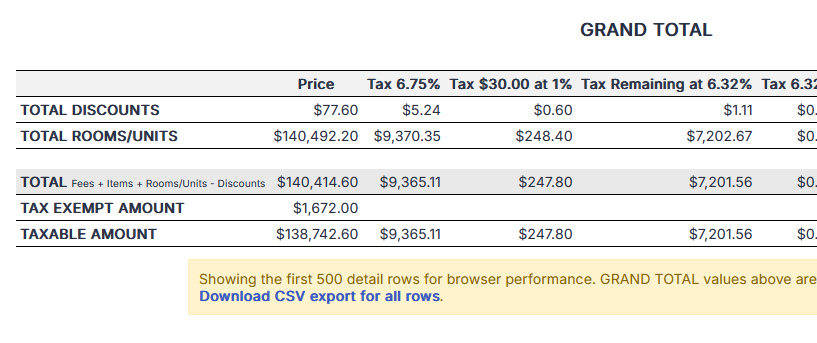
To keep the browser responsive, only the first 500 rows are shown on screen.
CSV Export for Full Data
If you need every row from a large report, you can export the full dataset as a CSV file.
Summary
These updates are part of our ongoing work to improve usability, performance, and integrations throughout ReservationKey.
From built-in Stripe visibility and stronger QuickBooks support to API access, calendar speed improvements, and easier setup tools, we are continuing to focus on practical improvements that make day-to-day work easier.
More updates are on the way.