Design | February 6, 2026 | 5 min read
How to Modernize Your Existing Reservation Pages
Learn how to modernize existing reservation pages using the new date picker, updated themes, improved styling, and modern embed options—without starting over.
Over the past several months, we’ve released a number of new features aimed at making reservation pages more modern, easier to use, and more intuitive for guests. With changes happening quickly, it can be hard to keep track of what’s new—or how to apply those improvements to an existing reservation page.
In this post, we’ll walk through practical ways to update an older reservation page without starting over, covering modern date pickers, newer themes, improved styling, and updated embedding options.
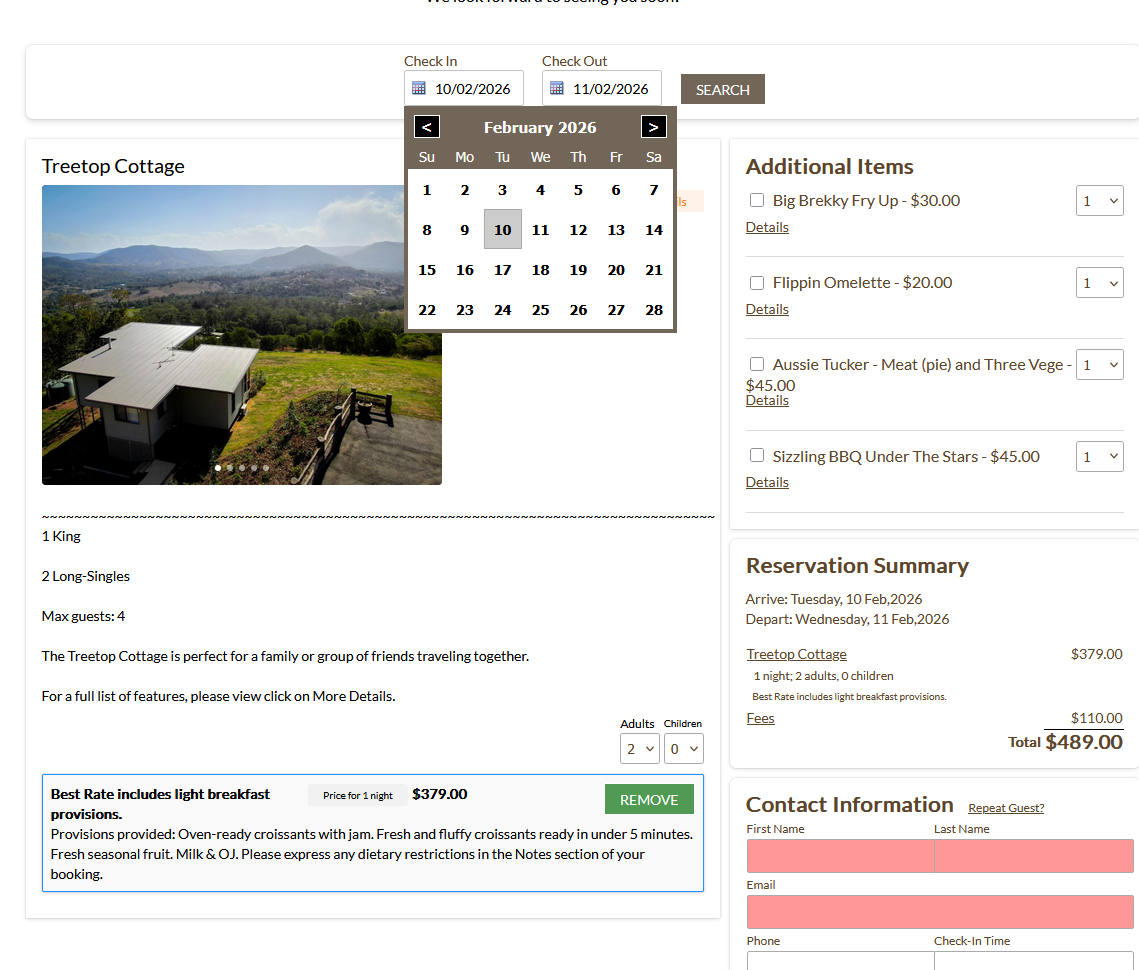
Starting Point: An Older Reservation Page
Many existing reservation pages still function perfectly well, but visually they can feel dated compared to newer designs. Common issues include:
- Two separate date pickers for check-in and check-out
- Less intuitive date selection
- Older layouts and color usage
- Embedded booking engines that feel disconnected from the main site
The goal isn’t to replace everything—it’s to selectively upgrade the parts that matter most.
Enabling the Modern Date Picker on an Existing Theme
One of the biggest usability improvements is the modern date picker, which replaces the old two-field check-in/check-out system with a single, interactive calendar.
Even if you want to keep your current theme, you can still enable the new picker.
How It Works
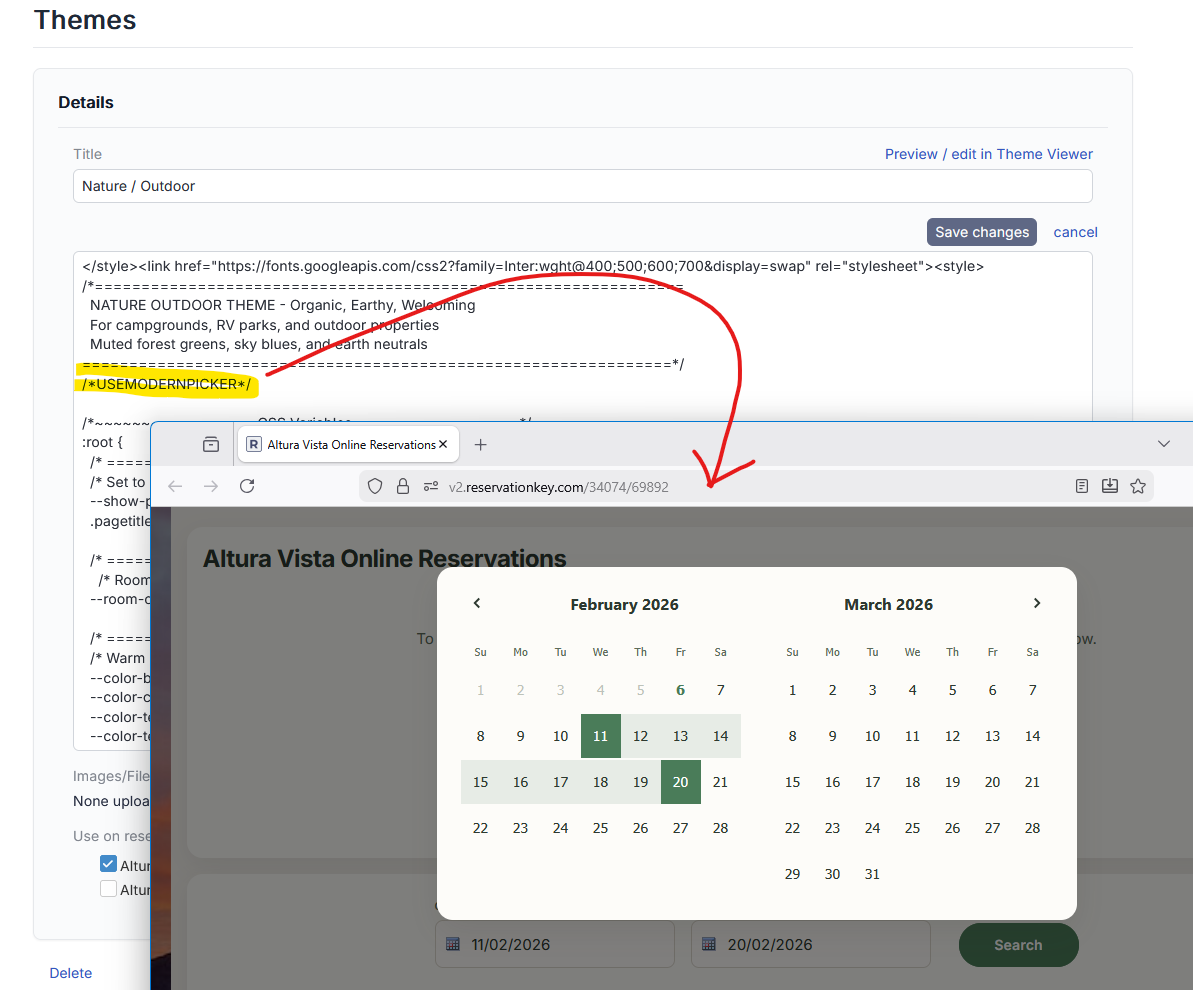
- Go to Themes
- Edit the theme your reservation page is using
- Add a single trigger line at the top of the theme:
- This tells the system to use the modern picker
- Optionally define primary and secondary colors using CSS
/*USEMODERNPICKER*/
/* Calendar colors - add to enable modern date picker theming */
:root {
  --color-primary: #726658;           /* Change to client's brand color */
  --color-primary-light: #dae7ee;     /* Lighter version for range highlight */
}
Once saved, the reservation page will automatically use the new calendar.
Using the New Calendar Experience
With the modern date picker enabled:
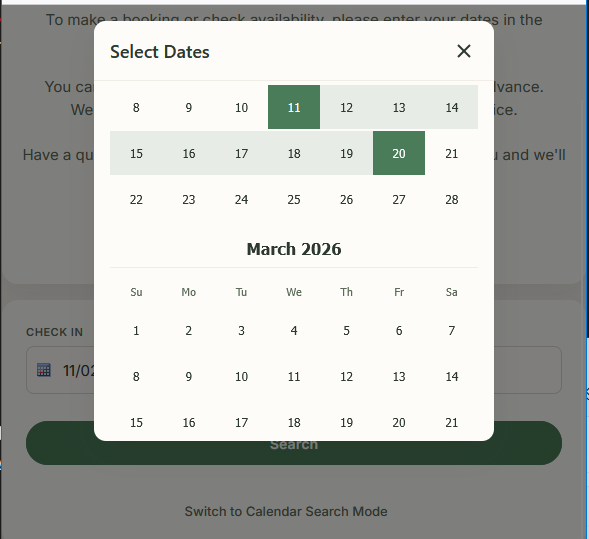
- Guests select check-in and check-out from one calendar
- Dates can be selected by clicking or dragging
- Availability searches run automatically
- Multiple months can be viewed at once
This dramatically reduces friction—especially for weekend or holiday bookings.
Customizing Calendar Colors to Match Your Site
The modern date picker supports quick color customization so it blends naturally with your existing design.
A simple approach:
- Use your browser’s inspector to sample colors already used on your site
- Apply those colors as the picker’s primary and secondary values
- Refresh to instantly see the changes
This allows the picker to feel native rather than bolted on.
Mobile-Friendly by Design
When viewed on smaller screens:
- The calendar automatically switches to a vertical layout
- Guests can scroll up to two years in advance
- Date selection is significantly faster on mobile
No additional configuration is required—this behavior happens automatically.
Switching to a Newer Theme (Optional)
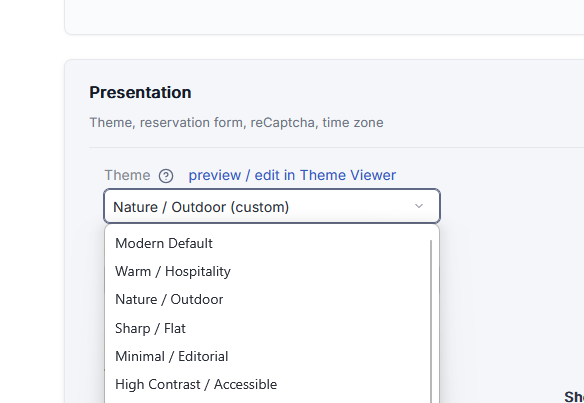
If you want to modernize the entire page—not just the calendar—you can switch to one of the newer themes, such as:
- Modern Default
- Warm
- Nature / Outdoor
These themes are designed to work seamlessly with:
- The modern date picker
- Updated slideshows
- Cleaner layouts and spacing
You can preview themes directly from the reservation page settings before committing.
Reusing Background Images from Older Themes
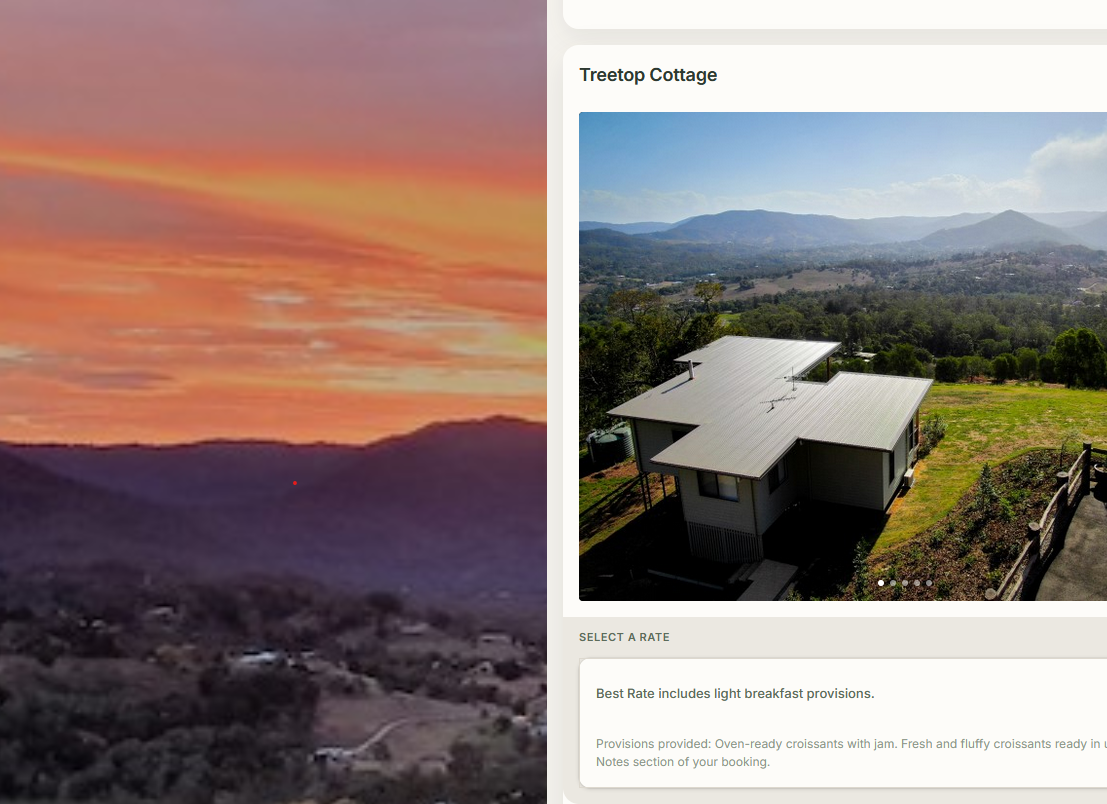
If your existing page uses a background image or color you want to keep, you don’t need to recreate it.
In most cases, you can:
- Copy the background-related CSS from the old theme
- Paste it into the new theme
- Adjust placement if needed (often works best at the bottom of the theme)
This allows you to preserve branding while upgrading the structure.
Cleaning Up Unused Page Sections
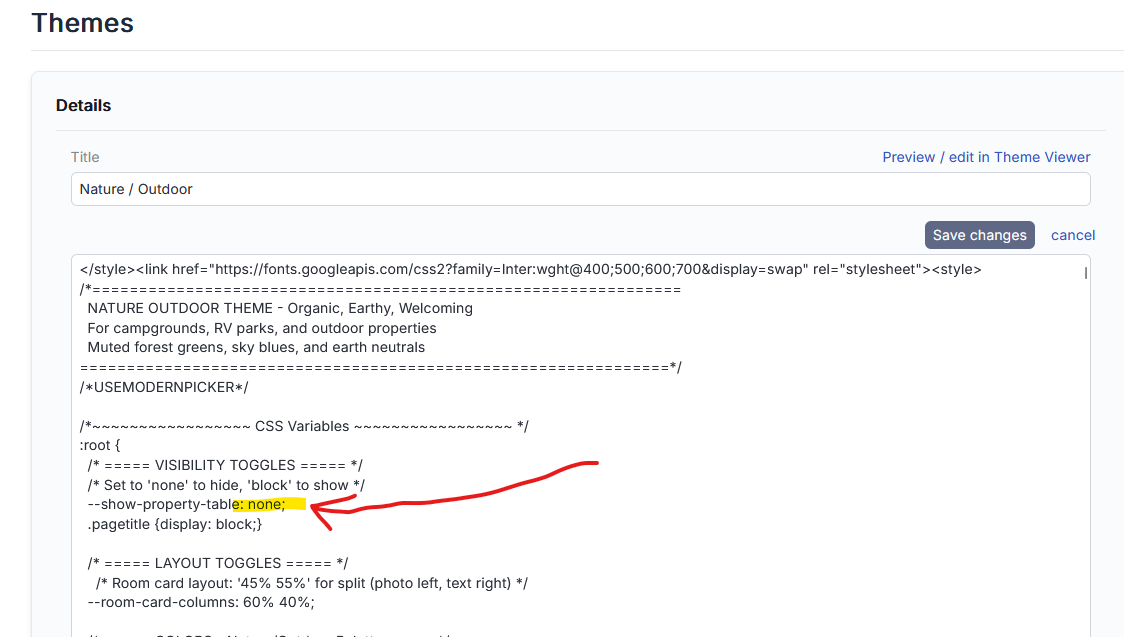
Older reservation pages often include sections that are no longer necessary, such as property tables that aren’t being used.
These can be removed cleanly by:
- Setting the relevant display option to
none - Leaving the rest of the grid layout intact
This helps simplify the page without affecting functionality.
Improving Required Field Styling and Validation
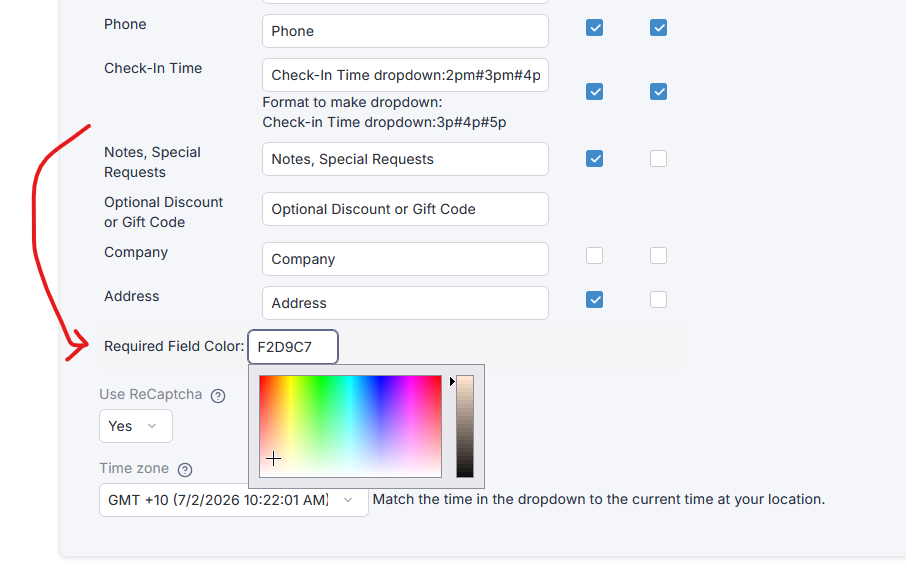
We’ve also improved form behavior and validation feedback:
- Required field errors now clear as soon as the user starts typing
- Clicking into a required field clears the error immediately
- Required field colors can be customized (many users prefer a softer slate tone)
These small changes significantly improve perceived quality and usability.
Rethinking How You Link to the Reservation Page
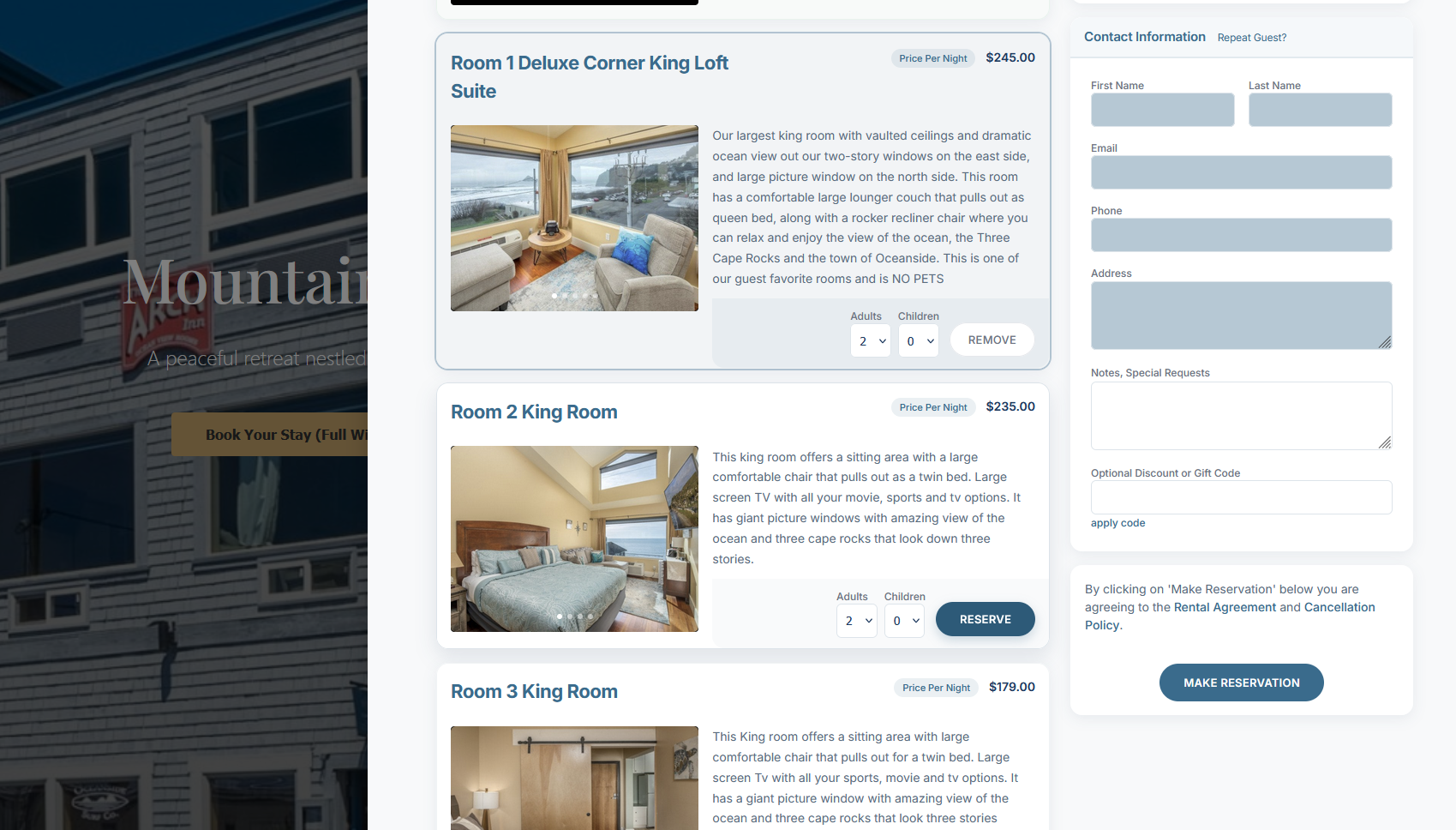
Many sites still open the booking engine inside a traditional iframe. While this works, there’s now a more modern option available. Take a look at this demo website to see it in action.
The New Embed Drawer
Instead of loading the booking engine in an iframe, you can now:
- Open it in a sliding drawer overlay
- Keep the main website visible in the background
- Choose compact or full-width layouts
This creates a smoother, more integrated booking experience.
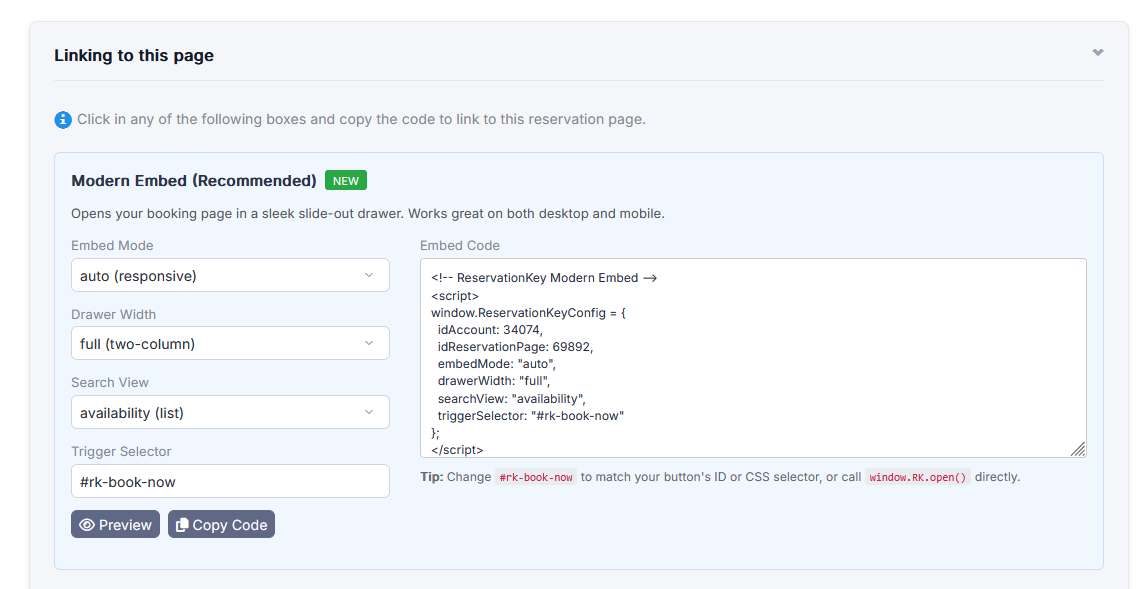
Previewing and Adding the Modern Embed
From the reservation page settings:
- Preview the embed drawer instantly
- Copy a short embed code
- Add it to your site header or button logic
We’ll be covering this embed option in more detail in a dedicated post and video.
Comparing Old vs. New
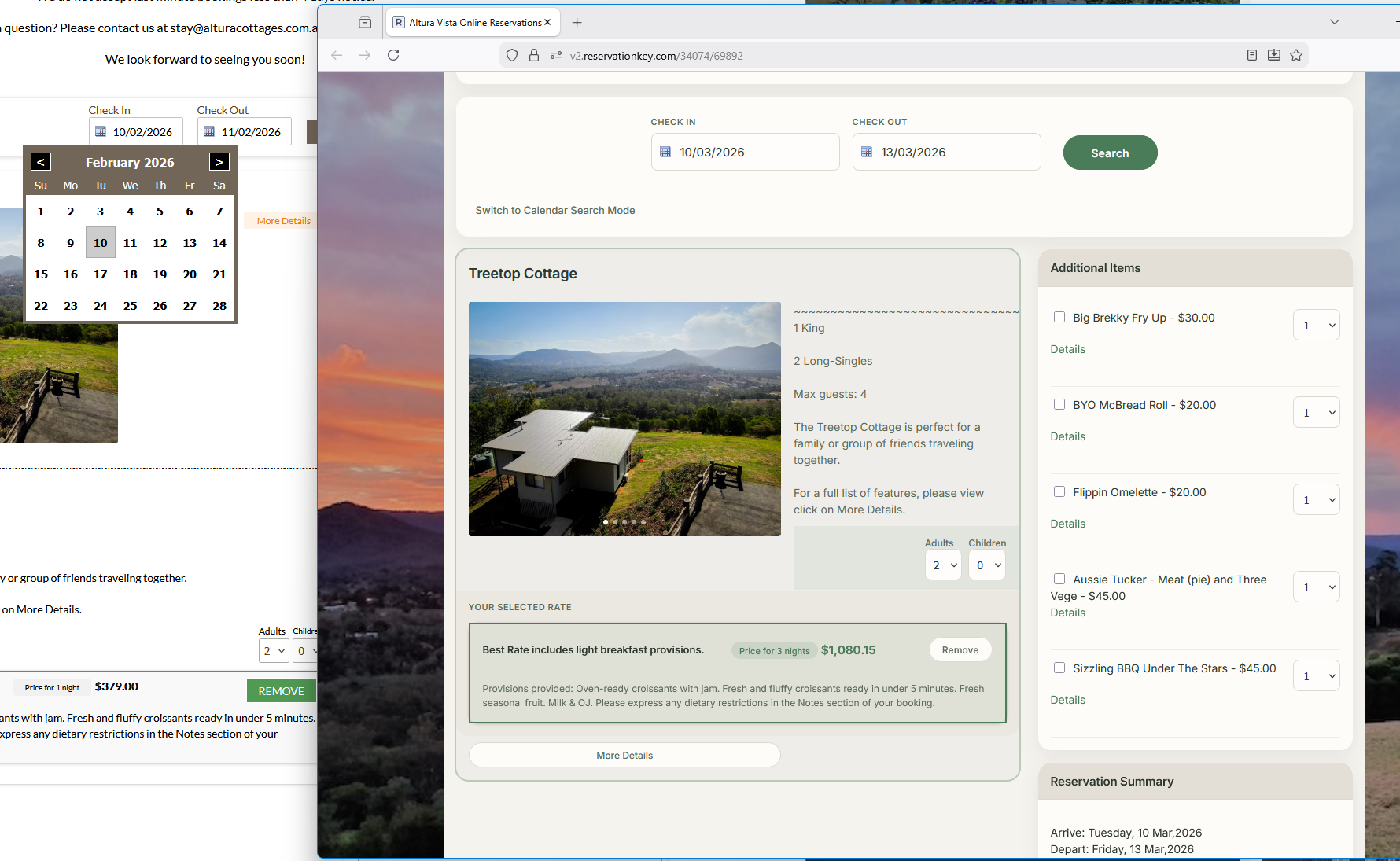
The difference between older reservation pages and updated ones is significant:
- Cleaner layouts
- Faster date selection
- Better mobile usability
- More modern visual styling
- Improved guest confidence
And importantly, these upgrades can be applied incrementally, without forcing a full redesign.
Final Thoughts
Modernizing an existing reservation page doesn’t require starting over. By selectively enabling newer features—like the modern date picker, updated themes, improved validation, and modern embeds—you can dramatically improve the guest experience while preserving what already works.
If you’re unsure which updates make sense for your property, feel free to reach out—we’re happy to help guide the process.