Announcements | April 17, 2026 | 3 min read
Pricing & Configuration Just Got a Major Usability Upgrade
We rolled out a major set of usability improvements across pricing and configuration, including more visible overview tables, inline popups, smarter warnings, and easier auditing of rate plans, taxes, fees, and rules.
Today we rolled out a substantial set of usability improvements across the pricing and configuration area of the system.
The goal was straightforward: give users more visibility directly in overview tables, reduce repetitive clicking, and surface configuration issues before they cause problems.
More Visibility Directly in Overview Tables
One of the biggest improvements is how much more information is now visible without opening individual records.
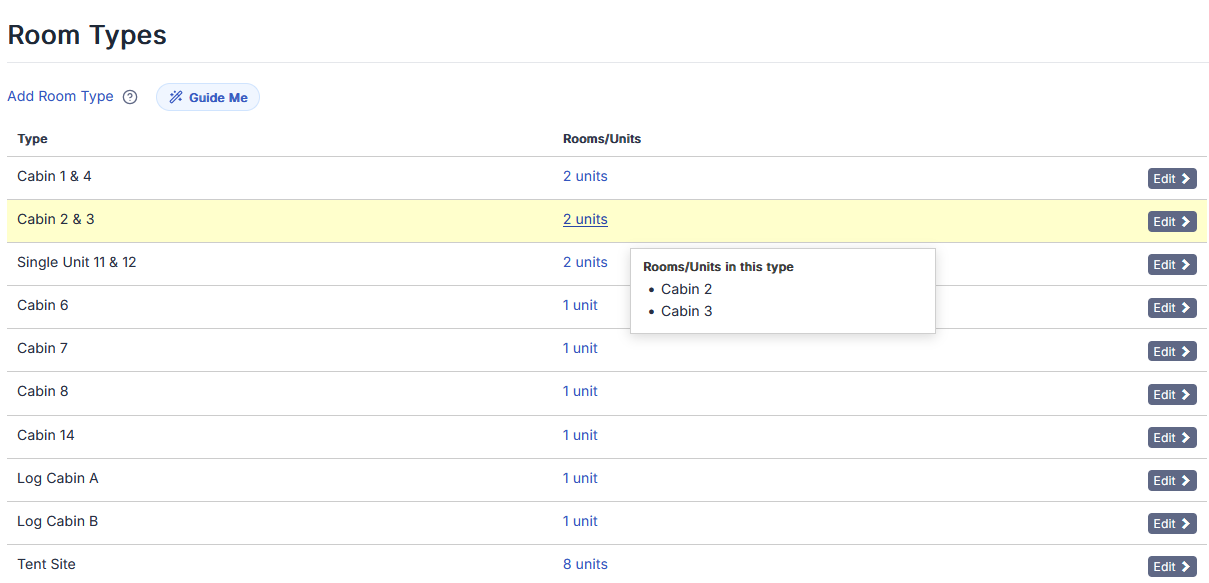
In several areas, older # columns or hidden associations have been replaced with meaningful labels and interactive detail popups. Instead of seeing a raw count, users now see exactly what is connected and can click to inspect it instantly.
For example:
- Room and inventory tables now show Rooms/Units instead of just a number
- Clicking opens a popup listing the exact rooms and fractions tied to that item
- Pricing-related tables now expose connected rate plans, taxes, and fees directly
Rate Plans Now Function as a True Control Panel
Rate plan management saw the most significant upgrade.
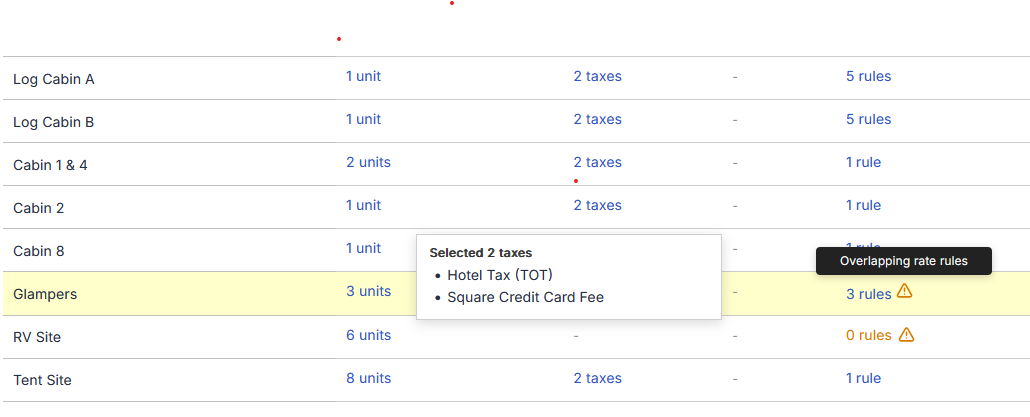
The rate plans overview now surfaces:
- Assigned rooms/units
- Selected taxes
- Selected fees
- Upcoming rules
Instead of opening each rate plan to inspect its configuration, users can now click compact inline links to view connected items in popups.
This transforms the page from a simple navigation list into a true control panel for pricing.
Clearer Visibility Into Rate Rules
We also made rule logic much easier to understand at a glance.
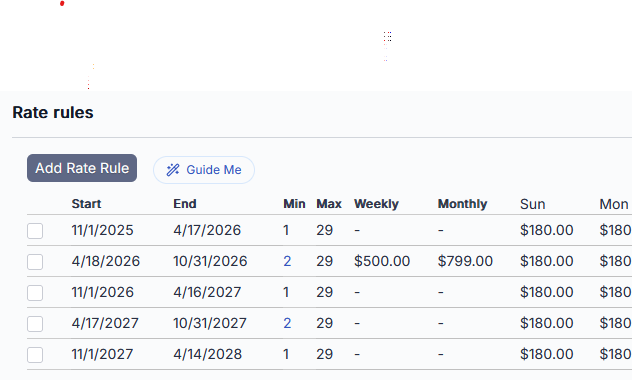
The rate rules table now includes:
- Weekly pricing
- Monthly pricing
- Minimum stay settings
- Maximum stay settings
This allows users to quickly understand how a rule behaves without drilling into the full edit form.
Smarter Warnings for Configuration Issues
A key focus of this update was helping users catch problems early.
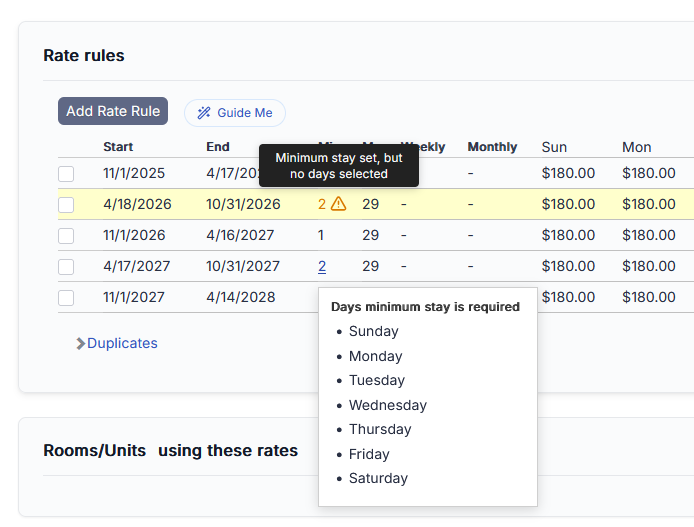
For example, minimum stay settings now include contextual warnings when incomplete, such as when a minimum stay is set but no days are selected.
These warnings are:
- Color-coded for visibility
- Paired with inline alert icons
- Supported by tooltips explaining the issue
This makes misconfigurations much harder to miss.
Proactive Alerts for Common Setup Mistakes
We also introduced smart alerts for scenarios that often lead to confusion later.
The system now flags:
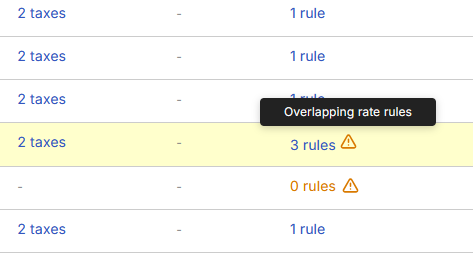
- Overlapping upcoming rate rules
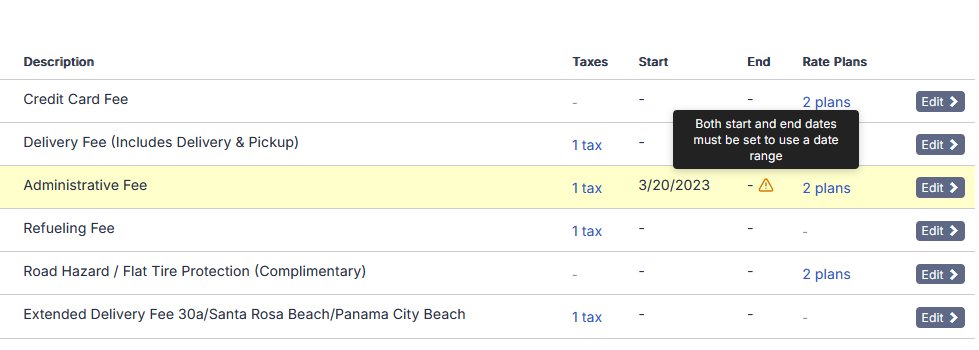
- Fees with incomplete date ranges, such as a missing start or end date
These are subtle visual signals, but they help guide users toward cleaner setups and prevent pricing inconsistencies.
Taxes & Fees: Easier to Audit at a Glance
Taxes and fees received similar improvements to visibility.
Both pages now display:
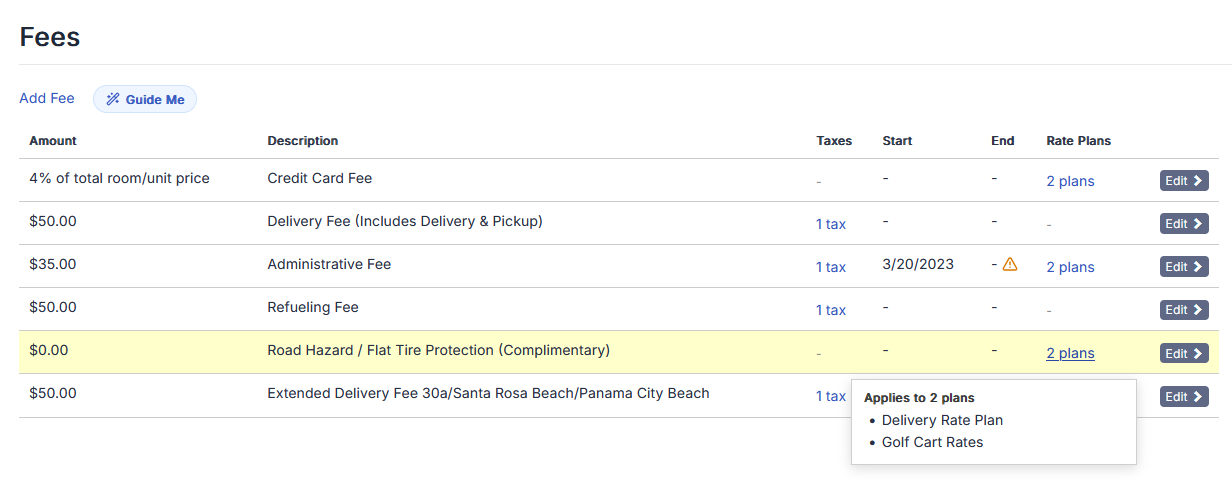
- Start and end dates directly in the table
- Connected rate plans
Fees go one step further by showing:
- Which taxes are attached to each fee
This makes it much easier to audit pricing setup from a single page and quickly spot anything unusual.
A Shift Toward More Actionable Setup Pages
These updates are part of a broader shift in how setup pages function.
Instead of users needing to open each record to understand configuration, the system now surfaces that information exactly where it is needed.
The result:
- Faster workflows
- Fewer hidden surprises
- More confidence when managing pricing and availability