ReservationKeyReservationKey
Pricing
DemoBook a DemoFree Trial
Log In
ReservationKey

Trusted by hospitality businesses since 2007

Founded in 2007, ReservationKey was created to offer a simple, yet powerful and affordable solution for managing reservations and displaying availability online. Our goal is to deliver top-quality software that fulfills our users' needs — simple, efficient, and budget-friendly.

Start Your Free TrialBook Your Demo

Solutions

  • Hotels & Motels
  • Bed & Breakfasts
  • Vacation Rentals
  • Resorts & Cabins
  • Campgrounds
  • Vehicle Rentals
  • Boats & Marinas
  • Ranches & Lodges

Resources

  • User Guide
  • Video Library
  • Blog
  • Terms of Service
  • Privacy Policy
  • Contact Us

Copyright © 2007 - 2026 ReservationKey, LLC - All rights reserved.

support@reservationkey.com|+1.415.800.4905

System Feature

Reservation Calendar for Managing Bookings

The central dashboard for availability, reservations, and daily operations

The ReservationKey reservation calendar gives property owners and staff one clear place to manage bookings, availability, and daily operations.

From the same screen, operators can quickly see arrivals and departures, guest status, availability, and unit assignments. For independent properties, it works as a simple property management calendar that is easy to understand and easy to manage.

Start Free Trial
ReservationKey reservation calendar dashboard
Reservation calendar showing bookings availability and guest status

Your Property at a Glance

One clear calendar dashboard for daily reservation management

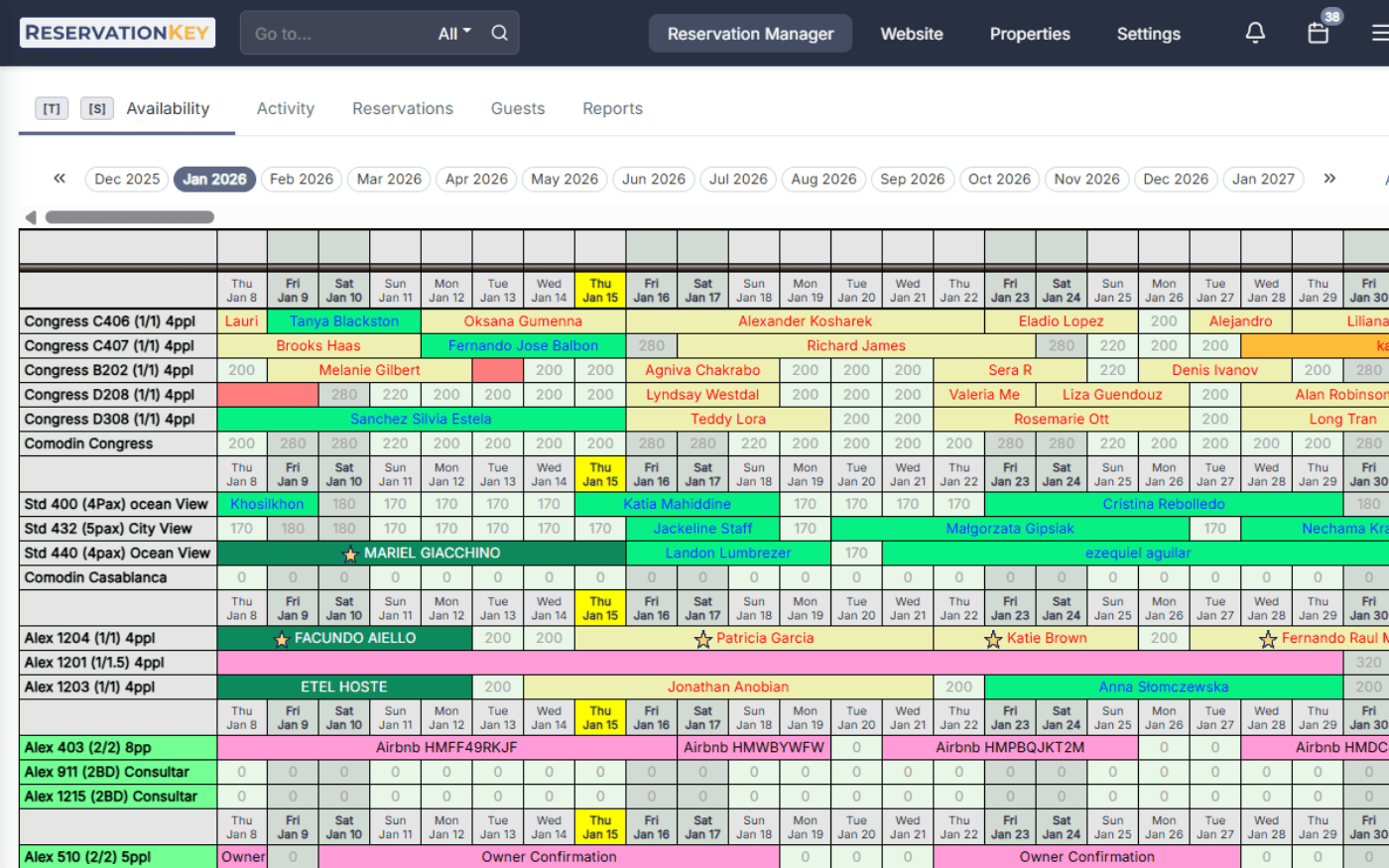
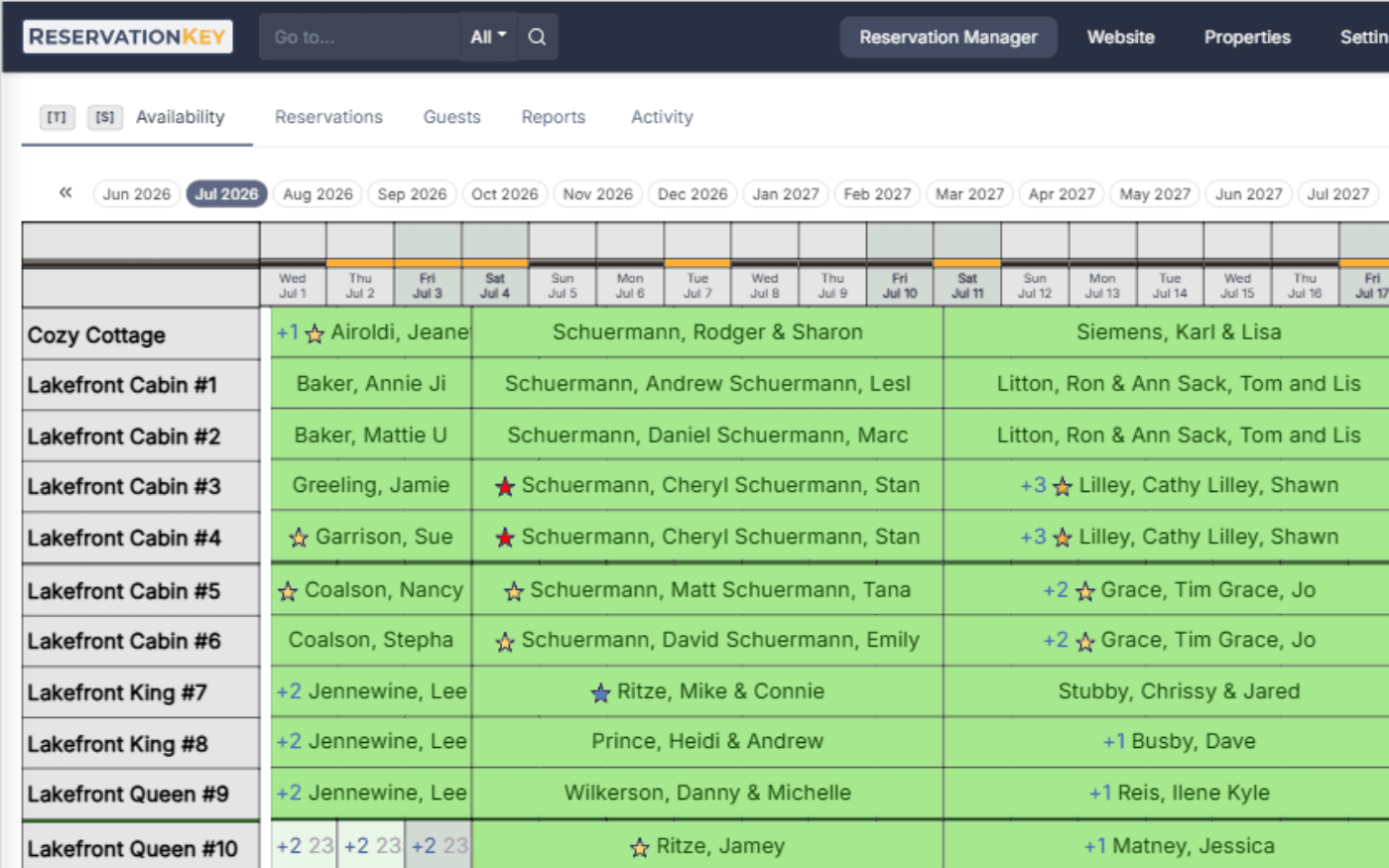
The ReservationKey booking calendar gives you a clean overview of current reservations, open availability, guest status, and special notes or reminders in one place.

The design is intentionally simple so operators can understand what is happening each day without wasting time.
Hotel booking calendar with customizable status colors and reminders

Quickly See Availability and Guest Status

Use visual indicators to make reservation management easier

The calendar uses visual indicators to simplify reservation management. You can customize reservation status colors, use star icons to highlight important bookings, add reminders and notes in the events bar, and adjust display preferences to fit your workflow.

These tools help staff quickly understand the status of rooms, cabins, campsites, or rental units. Whether you manage a hotel reservation calendar, an availability calendar for campsites, or a calendar reservation system for vacation rentals, the goal is the same: a faster way to read the day.

Reservation calendar drag and drop booking adjustments

Move Reservations in Seconds

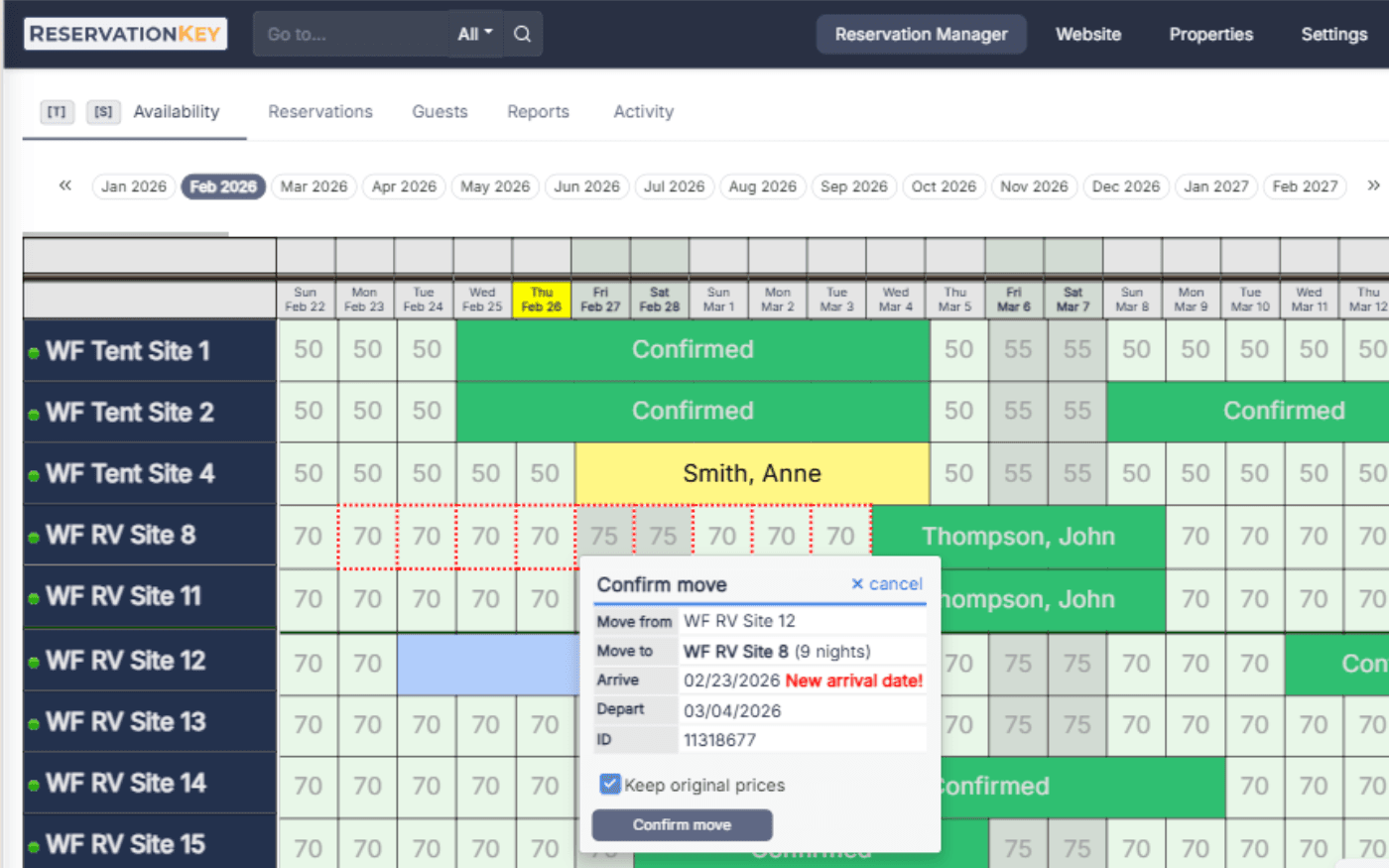
Drag and drop reservations instead of editing each field manually

Reservations can be adjusted directly on the calendar using drag-and-drop functionality. Staff can move reservations to different dates, assign bookings to different units, and adjust scheduling quickly without rebuilding the reservation.

Changes are immediately reflected in availability and connected systems, which helps reduce manual mistakes when plans shift.

Book by type reservation calendar for multiple unit categories

Manage Multiple Units Efficiently

Book by type for easier inventory control

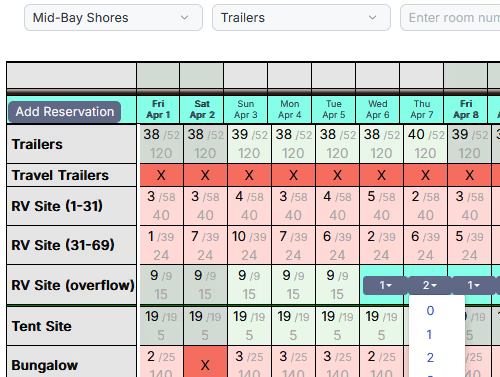
The Book by Type feature lets operators manage inventory by unit category instead of handling every unit one by one. Staff can quickly see remaining availability and allocate units based on type.

Examples include hotel room types, campground RV sites, cabins, vacation rentals, and vehicle or equipment rentals.

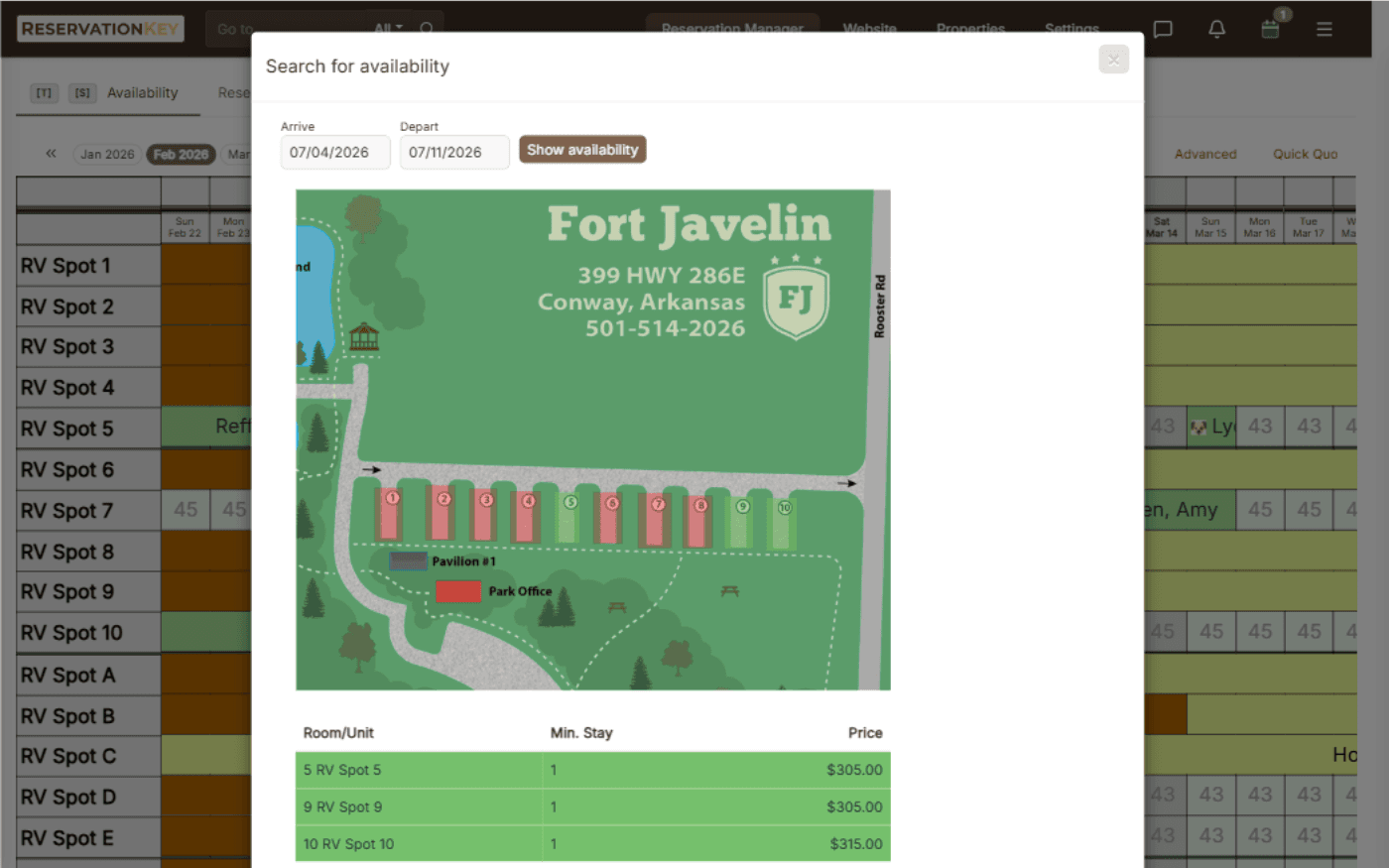
Interactive property map for availability and reservation selection

Interactive Property Map

Show unit locations visually for staff and guests

ReservationKey allows properties to display an interactive map showing where units are located. Guests and staff can visually choose units from the map when making reservations.

Operators can upload property maps, customize colors for availability, and create multiple maps for larger properties.

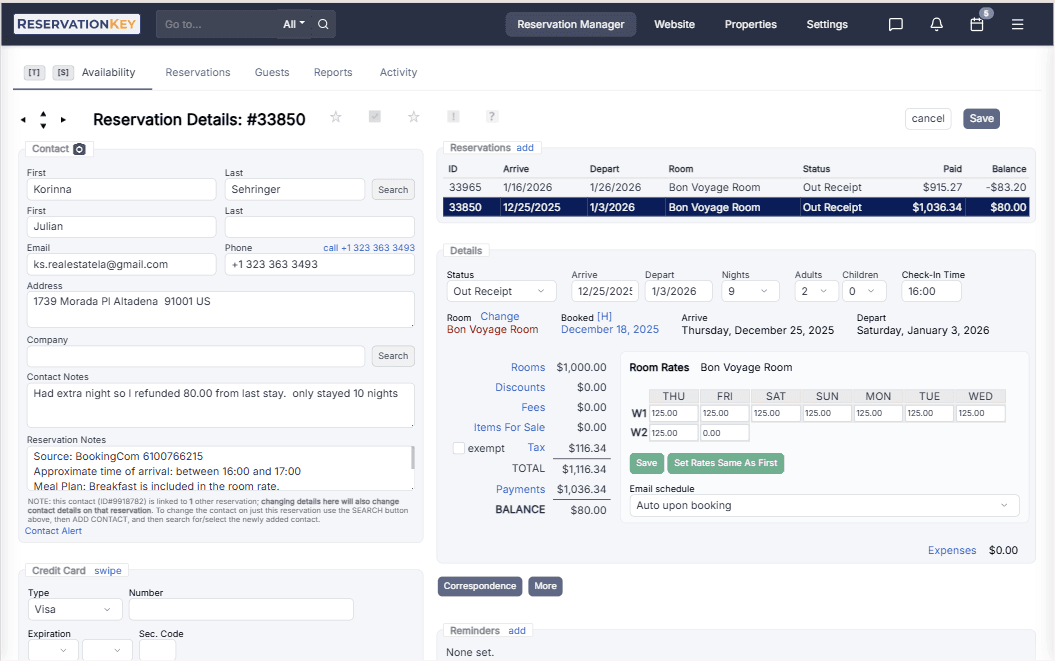
Reservation details view with guest history payment details and notes

Complete Reservation Information

Keep guest details, history, payments, and communication in one place

Each reservation includes a detailed view with guest information, reservation history, payment details, and communication history. Keeping that information in one place helps staff answer questions and review bookings faster.

This also connects well with related tools such as the booking engine, payments, and reporting features.

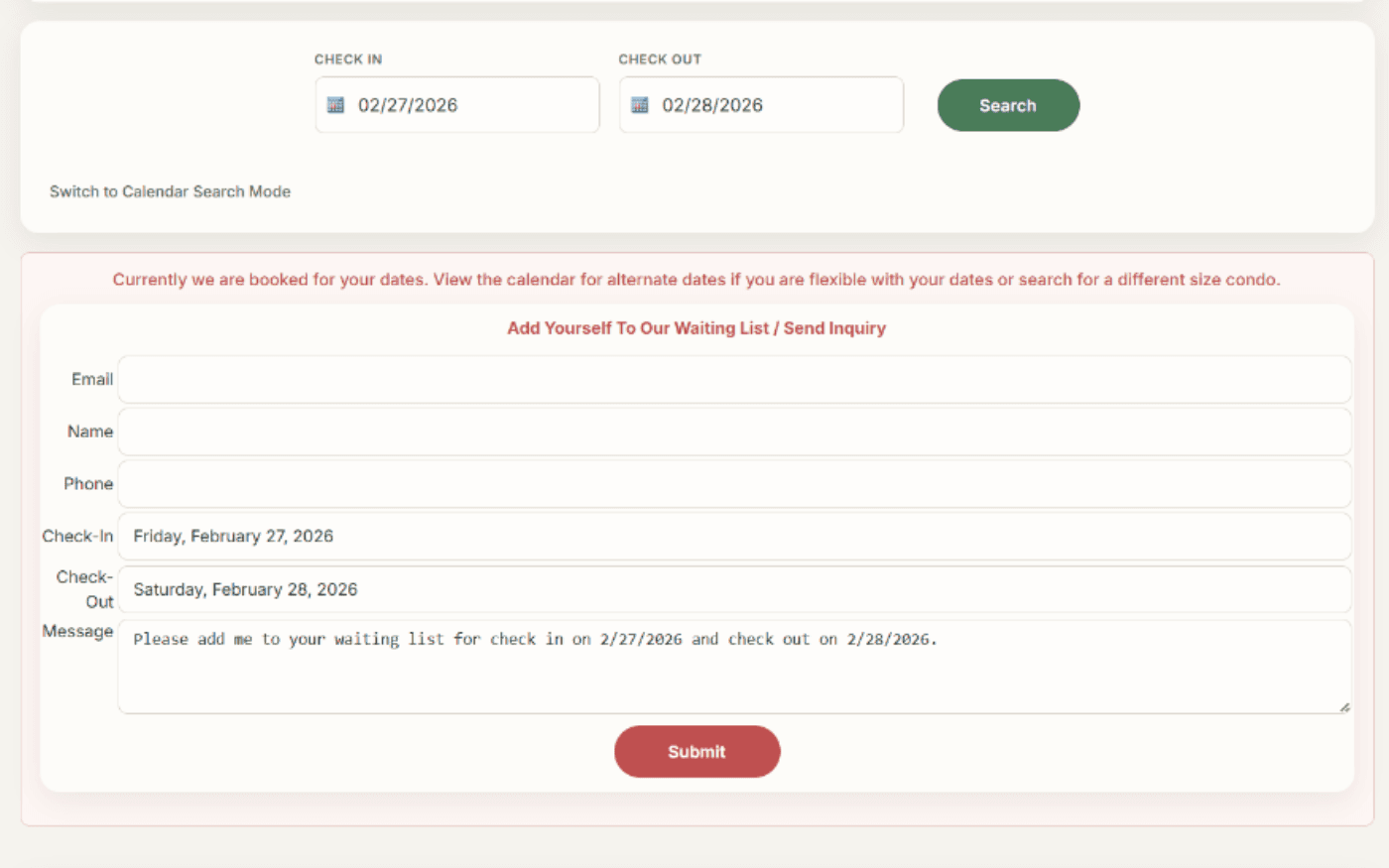
Waiting list tool inside the reservation calendar

Capture Demand When You Are Full

Use the waiting list to follow up when dates open up

ReservationKey includes a built-in waiting list feature for dates that are already full. When availability is not open, staff can record guest requests and contact information directly from the calendar.

If availability opens up later, your team can quickly follow up with potential guests.

Housekeeping and room status indicators inside the booking calendar

Track Cleaning and Room Status

Coordinate housekeeping and front desk activity from one calendar

Housekeeping indicators allow staff to track unit status directly within the reservation calendar. Teams can see which units need cleaning, which reservations need arrival preparation, and which housekeeping tasks are complete.

Shared status visibility helps teams stay aligned.

Discover more features

Start your free trial and see how a clear reservation calendar can simplify bookings, availability, and daily operations.

Start Free Trial

Frequently Asked Questions

A reservation calendar is a visual system used to manage bookings, availability, and guest information in one place. It helps staff see arrivals, departures, open dates, and unit assignments without sorting through separate screens. In ReservationKey, it also supports notes, reminders, and daily operational work.

Yes. ReservationKey supports drag-and-drop scheduling so you can move reservations to different dates or assign them to different units. Changes are reflected immediately in the calendar and updated availability. This makes it easier to adjust bookings when guest plans change.

Yes. ReservationKey supports multi-unit and multi-property calendar views so operators can monitor availability across different rooms, cabins, campsites, or rental units. Features like Book by Type make it easier to manage inventory by category. This works well for properties with mixed unit types or multiple locations.

Yes. You can customize the calendar with status colors, filters, display preferences, reminders, and other visual settings. These options help staff organize the calendar in a way that fits the property workflow. Important bookings can be highlighted with star icons, and notes can be displayed in the events bar.