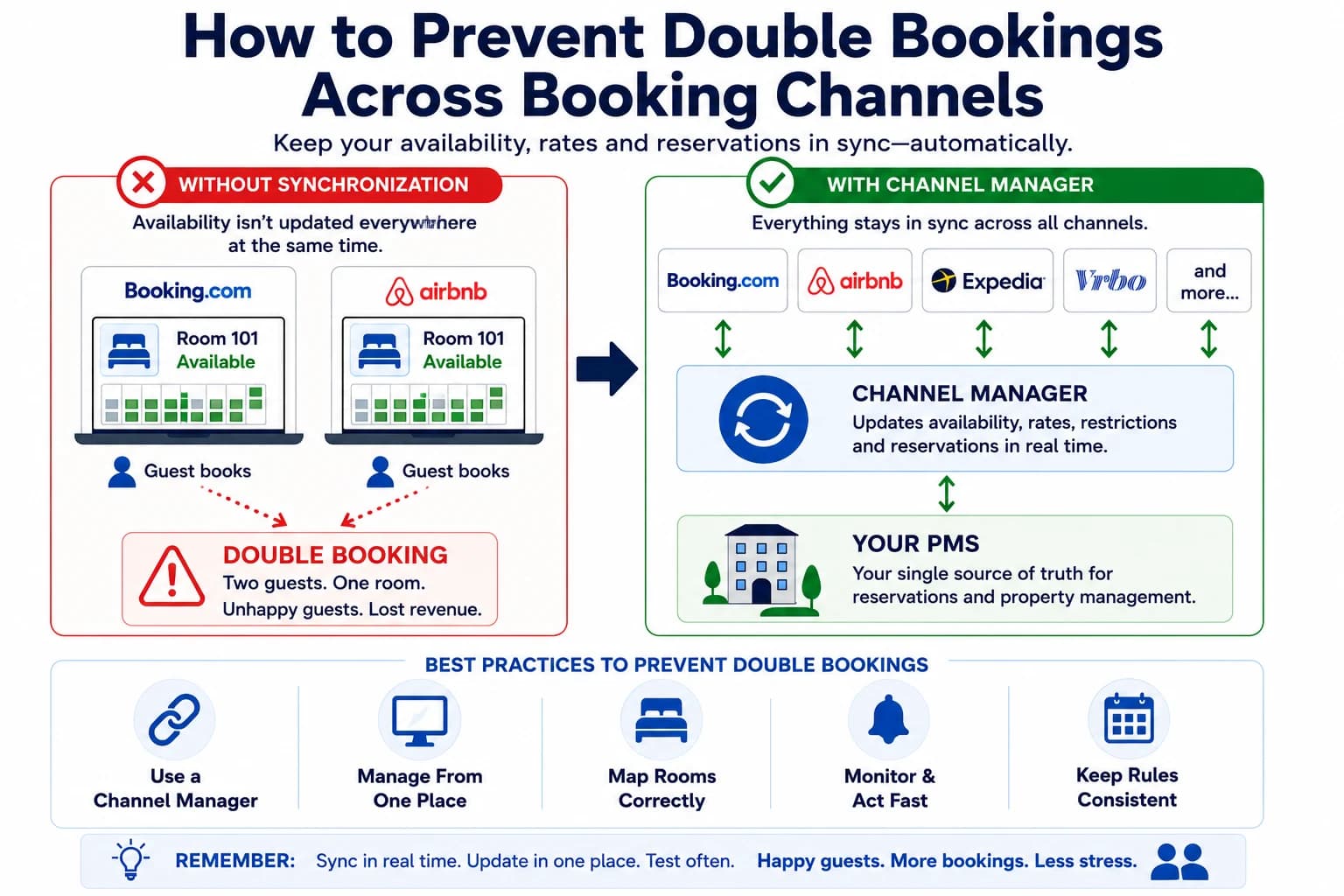
Few things are more stressful for a hotel, bed & breakfast, vacation rental, campground, or cabin owner than discovering that two guests have booked the same room for the same dates.
Double bookings don't just create operational headaches—they can lead to refunds, compensation costs, negative reviews, and disappointed guests.
The good news is that most double bookings are preventable. By understanding how online booking channels communicate and following a few best practices, you can dramatically reduce the risk of overbooking your property.
What Causes Double Bookings?
A double booking happens when the same room or unit is available on more than one booking channel at the same time.
For example:
- A guest books Room 5 on Booking.com.
- Before Airbnb receives the updated availability, another guest books the same room.
- You now have two confirmed reservations for one accommodation.
This usually happens because availability wasn't updated quickly enough—or because something prevented the update from reaching one of your booking channels.
The Most Common Causes of Double Bookings
Although every property is different, most double bookings can be traced back to a handful of common issues.
Manual Calendar Updates
Some property owners update each OTA individually.
While this may work for a single listing, it becomes risky once you're managing multiple channels.
Even waiting ten or fifteen minutes before updating another website can create an opportunity for another booking.
No Channel Manager
If you advertise on Booking.com, Airbnb, Expedia, Vrbo, and your own website, each platform needs to know when a room becomes unavailable.
Without a channel manager, every update has to be made manually.
The more booking channels you use, the greater the risk of mistakes.
Incorrect Room Mapping
One of the most common technical causes of synchronization problems is incorrect room mapping.
If Room A in your Property Management System (PMS) is accidentally connected to Room B on an OTA, availability updates may affect the wrong accommodation.
Everything may appear connected, but reservations won't synchronize correctly.
Delayed Synchronization
Not every synchronization method updates immediately.
For example, iCal calendar synchronization often checks for updates periodically rather than continuously.
During busy periods, that delay can be enough for another reservation to arrive.
Availability Closed on One System but Not Another
Sometimes availability is changed directly inside an OTA instead of the PMS.
Other times it's changed in the PMS but not successfully synchronized.
Either situation can create inconsistent inventory across booking channels.
Best Practices to Prevent Double Bookings
Fortunately, preventing double bookings doesn't require complicated technology. It requires consistent processes.
Use a Channel Manager
A channel manager automatically synchronizes availability between your PMS and connected booking websites.
When one reservation is made, the updated inventory is sent to the other channels, reducing the need for manual updates.
Manage Availability From One Place
Choose a single source of truth for your inventory.
Instead of editing availability separately on Booking.com, Airbnb, Expedia, and your website, manage it from your PMS whenever possible.
This reduces inconsistencies and accidental conflicts.
Verify Room Mapping
Whenever you connect a new OTA, verify that every room or unit is mapped correctly.
A simple mapping mistake can affect availability without producing obvious errors.
Test Before Going Live
Before accepting real reservations, create test bookings through each booking channel.
Verify that:
- The reservation imports correctly.
- Availability closes on every connected channel.
- The correct room is blocked.
- Prices appear correctly.
- Confirmation emails are sent.
Testing before opening your property to guests is one of the easiest ways to prevent future problems.
Monitor Failed Synchronizations
If your software reports synchronization errors, investigate them promptly.
Ignoring failed updates increases the chance that availability will become inconsistent across booking channels.
Common Mistakes Property Owners Make
Many overbooking situations are caused by avoidable mistakes rather than software failures.
Some examples include:
- Connecting the wrong room during OTA setup.
- Forgetting to disconnect an old calendar.
- Managing availability in multiple systems at the same time.
- Assuming every booking channel updates instantly.
- Opening a new OTA without first performing test reservations.
Most of these problems are easy to avoid with a simple setup checklist.
If You're Using ReservationKey...
The same principles apply regardless of which reservation software you use.
If you're using ReservationKey, availability can be synchronized with Booking.com, Airbnb, Expedia, Vrbo, and many other booking channels through Channex.
To reduce the risk of double bookings:
- Verify your room mapping.
- Confirm the correct property is connected.
- Perform test reservations before opening a new booking channel.
- Check that reservations are importing correctly.
- Review synchronization status if availability appears incorrect.
Following these steps helps ensure that reservations and availability stay consistent across all connected booking channels.
Frequently Asked Questions
Can I prevent double bookings without a channel manager?
Yes, but it requires updating every booking channel manually after each reservation.
As your property grows or you begin using multiple OTAs, a channel manager becomes the safest and most efficient solution.
Is iCal enough to prevent double bookings?
iCal works well for basic calendar synchronization but doesn't always update immediately and typically doesn't synchronize rates, restrictions, or complete reservation information.
Properties listed on several OTAs often benefit from a full channel manager.
What's the biggest cause of double bookings?
The most common causes are manual updates, incorrect room mapping, delayed synchronization, and inconsistent inventory across booking channels.
Related Articles
Continue learning with these practical guides.
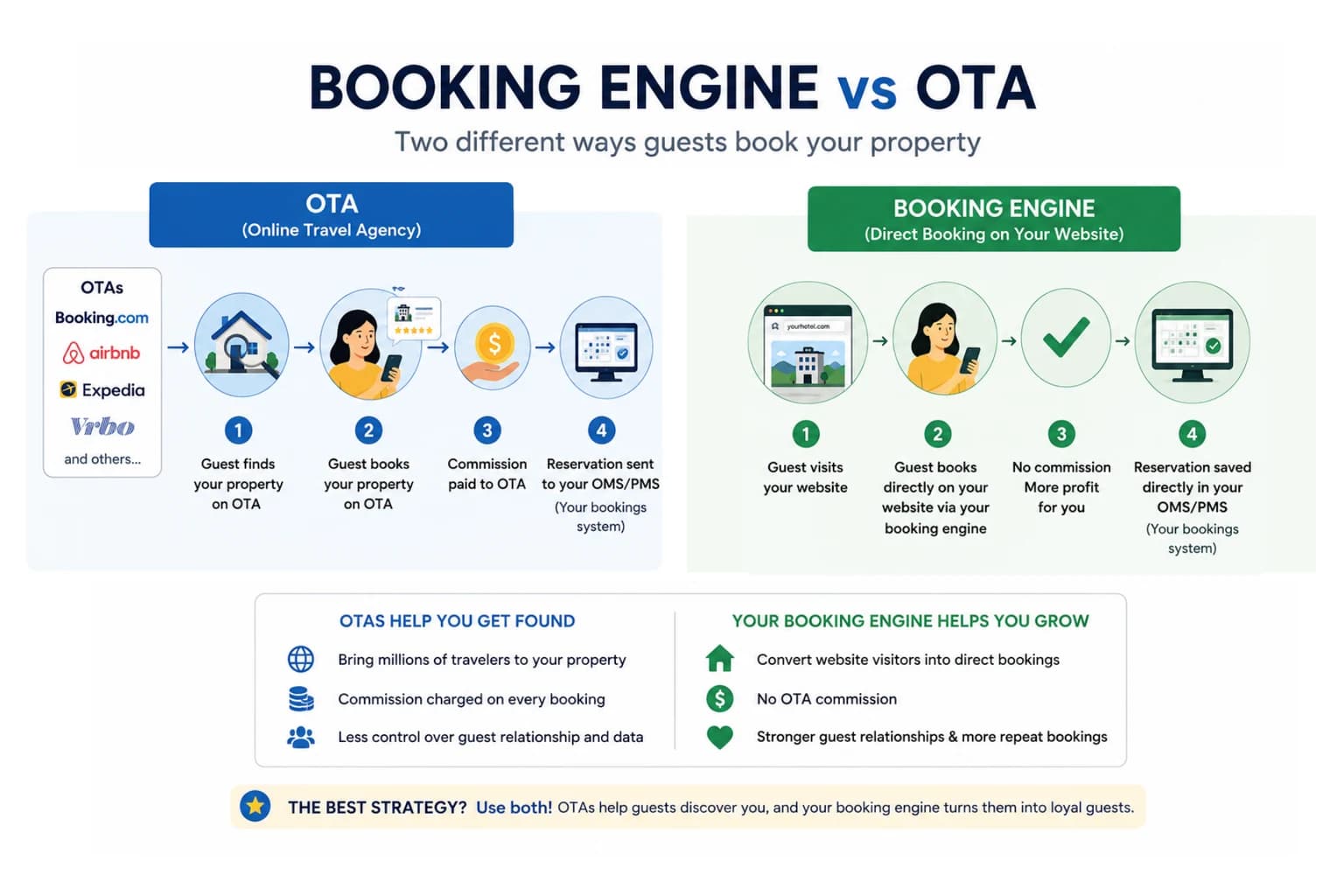
Booking Engine vs. OTA: What's the Difference? (And Why Most Properties Need Both)
Learn the difference between a booking engine and an OTA, their pros and cons, and why using both can help hotels increase direct bookings and reduce commissions.
Read article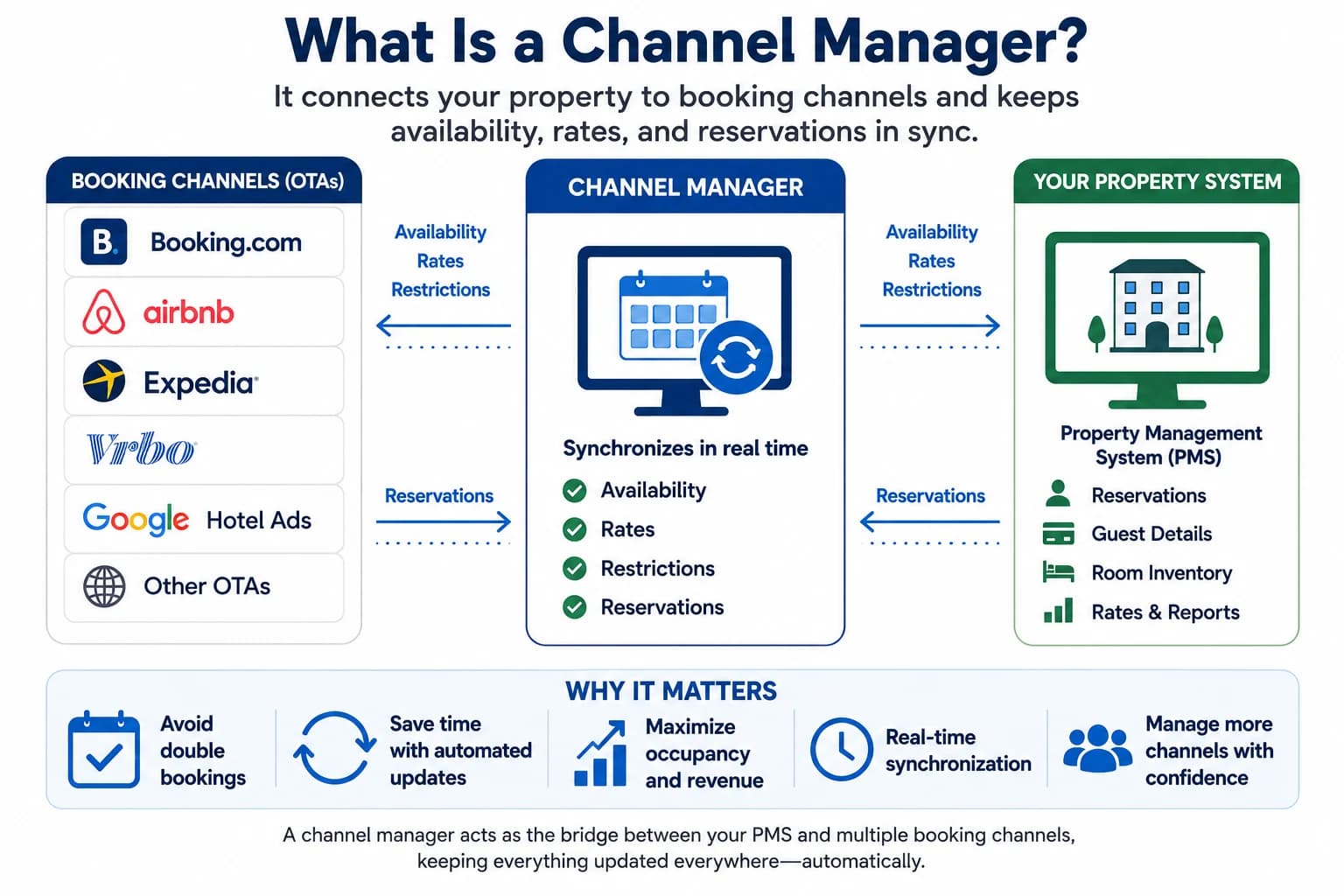
What Is a Channel Manager? (And Do You Really Need One?)
Learn what a hotel channel manager is, how it works, and why it helps hotels, B&Bs, vacation rentals, and campgrounds prevent double bookings and save time.
Read article