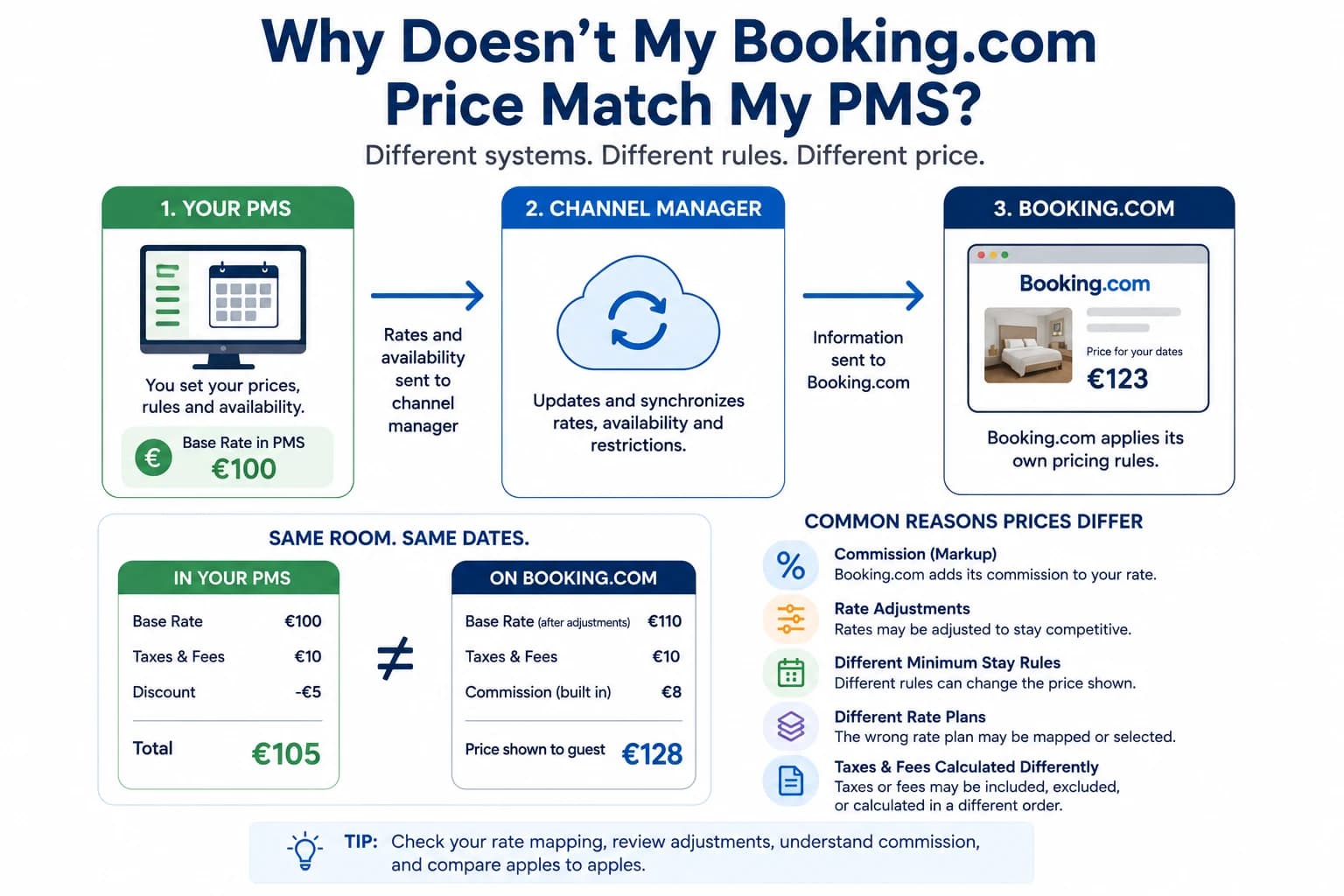
If you've ever looked at your Booking.com listing and wondered why the price shown to guests is different from the rate you configured in your Property Management System (PMS), you're not alone.
In most cases, your PMS is sending the correct rate. The difference usually comes from additional pricing rules, discounts, promotions, or rate plans that Booking.com applies after receiving your base rate.
The good news is that a price mismatch doesn't necessarily mean your channel manager or PMS isn't working. Understanding how Booking.com calculates prices is the first step toward solving the problem.
How Booking.com Prices Are Calculated
Many property owners assume the price shown on Booking.com comes directly from their PMS.
In reality, the process is often more complex.
Typically, the flow looks like this:
PMS → Channel Manager → Booking.com → Guest
Your PMS sends the base rate.
Booking.com then checks whether any additional rules apply before displaying the final price to the guest.
These rules may include:
- Mobile discounts
- Genius discounts
- Promotional campaigns
- Derived rate plans
- Member-only pricing
- Country-specific offers
- Currency conversion
As a result, the guest may see a different price even though your PMS sent the correct one.
The Most Common Causes of Price Differences
1. Booking.com Promotions
Booking.com allows properties to create many different promotions.
Examples include:
- Last-minute discounts
- Early-booker discounts
- Mobile-only discounts
- Country-specific promotions
- Seasonal campaigns
These promotions reduce the guest-facing price but do not usually change the base rate stored in your PMS.
2. Genius Discounts
If your property participates in the Booking.com Genius program, eligible travelers automatically receive discounted prices.
Many property owners forget this program is active and assume their PMS is sending incorrect rates.
3. Derived Rate Plans
Booking.com supports multiple rate plans for the same room.
For example:
- Standard Rate
- Non-refundable Rate
- Breakfast Included
- Flexible Rate
Some of these are automatically calculated as a percentage above or below your standard price.
If the wrong rate plan is being viewed, prices may appear inconsistent.
4. Channel Adjustments
Some channel managers allow you to apply a pricing adjustment specifically for Booking.com.
For example, you might increase prices by 10% on Booking.com to help offset OTA commissions while keeping lower prices on your own website.
If this adjustment exists, the Booking.com price will intentionally differ from your PMS booking engine.
5. Taxes and Fees
Not every booking channel displays taxes and fees in the same way.
Depending on local regulations and your Booking.com settings, the guest may see:
- Taxes included
- Taxes excluded
- Cleaning fees
- Service charges
- Resort fees
Always compare the complete booking total—not just the room rate.
Common Mistakes Property Owners Make
From a support perspective, these are some of the most common misunderstandings.
Assuming the PMS is wrong
In many cases, the PMS is transmitting the correct base rate.
The difference comes from Booking.com applying additional pricing rules.
Comparing Different Rate Plans
A Standard Rate and a Non-refundable Rate should not be expected to match.
Always verify you're comparing the same room, occupancy, dates, and rate plan.
Forgetting Active Promotions
Many promotions continue running automatically after they've been created.
Before changing rates in your PMS, check whether Booking.com is still applying:
- Mobile discounts
- Genius pricing
- Seasonal offers
- Promotional campaigns
Ignoring Occupancy Rules
Changing the number of guests can also affect pricing.
Extra guest fees or occupancy-based pricing may explain differences between the PMS rate and the guest-facing OTA price.
How to Troubleshoot a Price Difference
If your Booking.com price doesn't match your PMS, work through this checklist.
✅ Compare the same dates.
✅ Check the same room type.
✅ Verify the same occupancy.
✅ Review all Booking.com promotions.
✅ Check whether Genius discounts are active.
✅ Review your Booking.com rate plans.
✅ Verify any channel-specific price adjustments.
✅ Compare taxes and fees.
Only after completing these checks should you suspect a synchronization issue.
If You're Using ReservationKey...
The same troubleshooting process applies regardless of your reservation software.
If you're using ReservationKey, rates are sent through your configured channel manager using the pricing you've created inside ReservationKey.
If Booking.com displays a different guest-facing price, it's often worth checking:
- Booking.com promotions
- Active rate plans
- OTA discounts
- Channel-specific adjustments
- Taxes and fee configuration
In most situations, ReservationKey is sending the expected base rate, while Booking.com is applying additional pricing logic before displaying the final price to travelers.
Frequently Asked Questions
Does Booking.com change the prices sent by my PMS?
Yes. Booking.com may apply promotions, Genius discounts, derived rate plans, or other pricing rules after receiving your base rate.
Should my website and Booking.com always show the same price?
Not necessarily.
Many properties intentionally charge different prices on Booking.com to account for OTA commissions or promotional strategies.
How can I tell if the problem is my PMS or Booking.com?
Start by comparing the base rate in your PMS with the base rate received by Booking.com.
If they match, the difference is usually caused by Booking.com settings rather than the PMS or channel manager.
Related Articles
Continue learning with these practical guides.
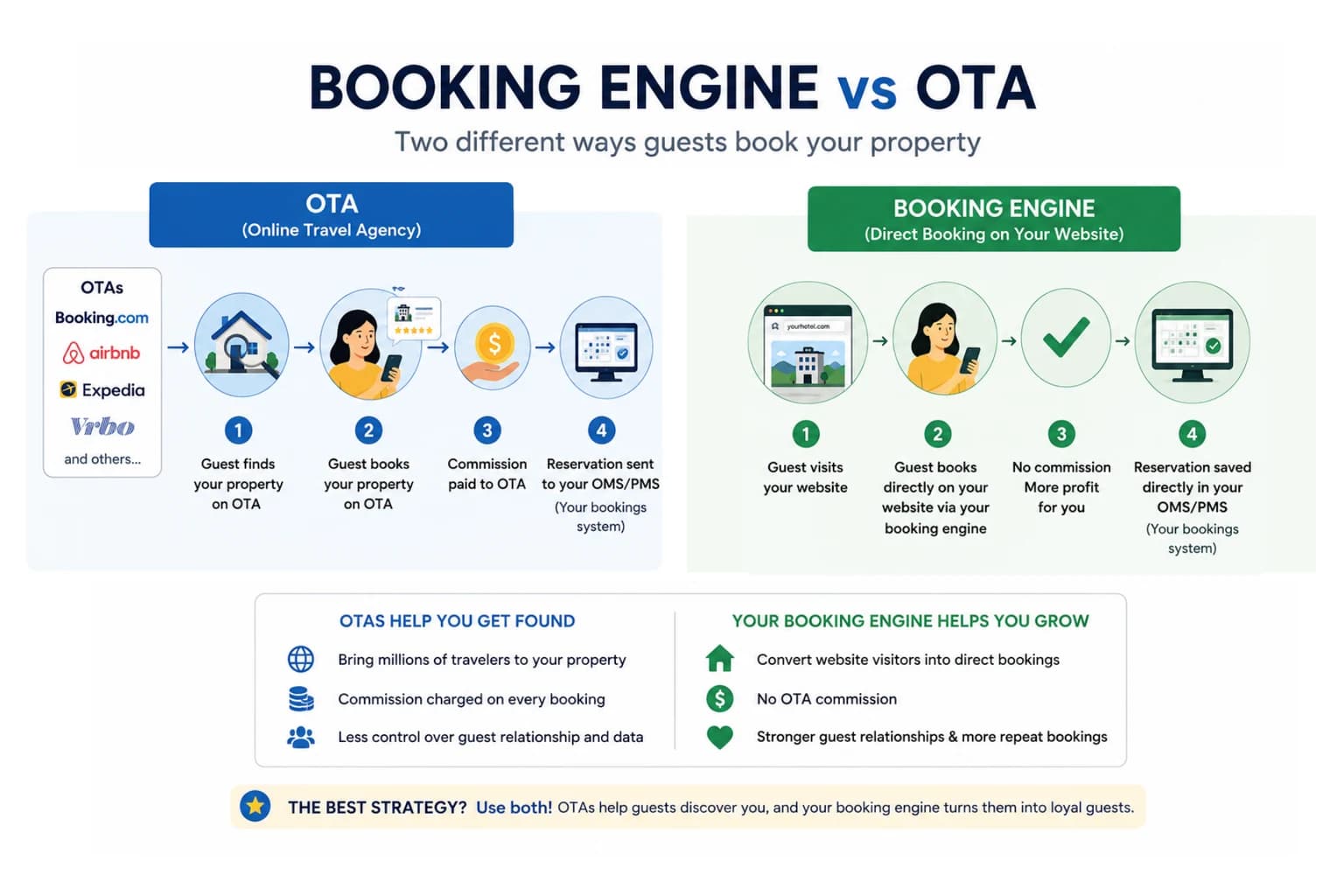
Booking Engine vs. OTA: What's the Difference? (And Why Most Properties Need Both)
Learn the difference between a booking engine and an OTA, their pros and cons, and why using both can help hotels increase direct bookings and reduce commissions.
Read article