
CabinsActivitiesDirect booking
Trappers Lake Lodge Resort
A mountain lodge website that highlights cabins, dining, horseback riding, seasonal activities, and a clear direct booking path for guests planning a remote Colorado stay.
Visit WebsiteSystem Feature
ReservationKey Website Builder helps independent lodging businesses create a modern direct booking website without starting from a blank page or managing a separate website tool. It uses your ReservationKey account data, photos, rooms, units, amenities, and booking setup to give you a faster path from setup to a published website.
You can choose a template, edit pages with flexible content blocks, connect booking buttons to your reservation pages, and publish changes when they are ready. The builder is designed for properties that want their website, booking flow, and availability tools to work together from one system.
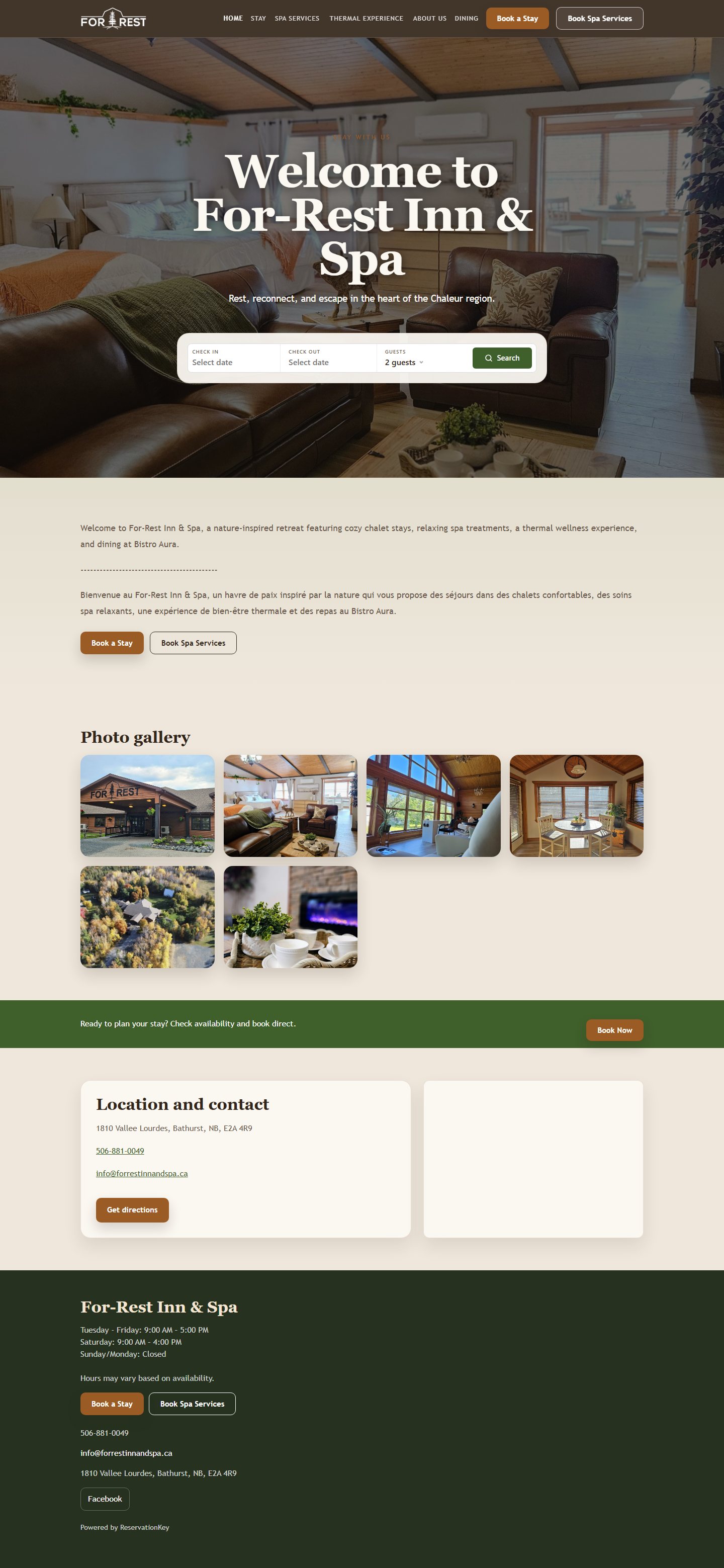
Inn & Spa
Forrest Inn & Spa
Website pricing
All ReservationKey accounts include one free website with hosting and SSL. Additional websites are only $20 per month.
Client Website Examples
See how hospitality businesses use ReservationKey Website Builder to present their property, guide guests to reservations, and keep their website connected to booking tools.
A mountain lodge website that highlights cabins, dining, horseback riding, seasonal activities, and a clear direct booking path for guests planning a remote Colorado stay.
Visit WebsiteA spa-style launch page showing how an inn can establish a polished web presence while preparing property details, guest messaging, and booking content for launch.
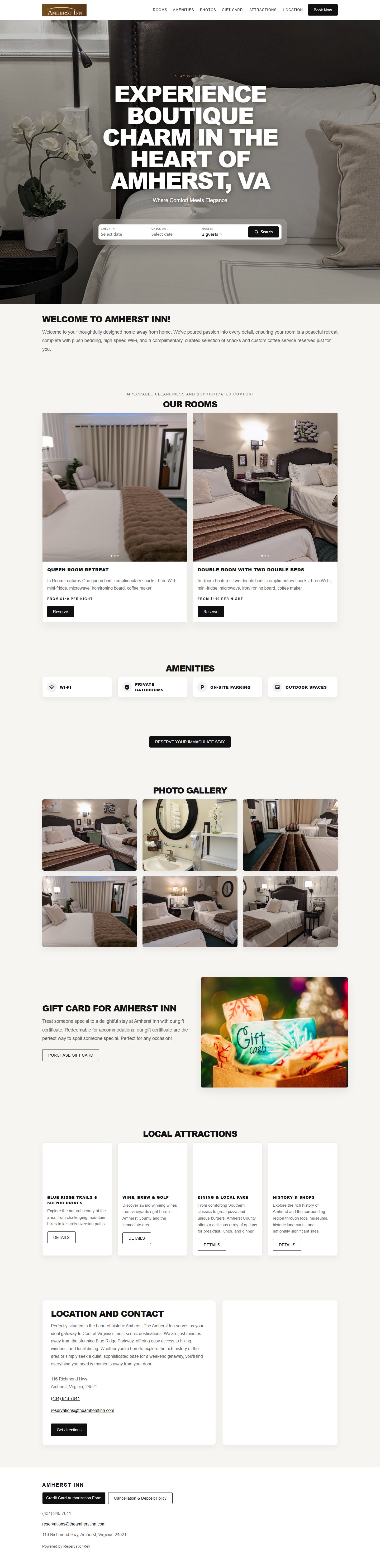
A boutique inn website that combines room information, local attractions, and reservation calls to action so guests can move from browsing to booking.
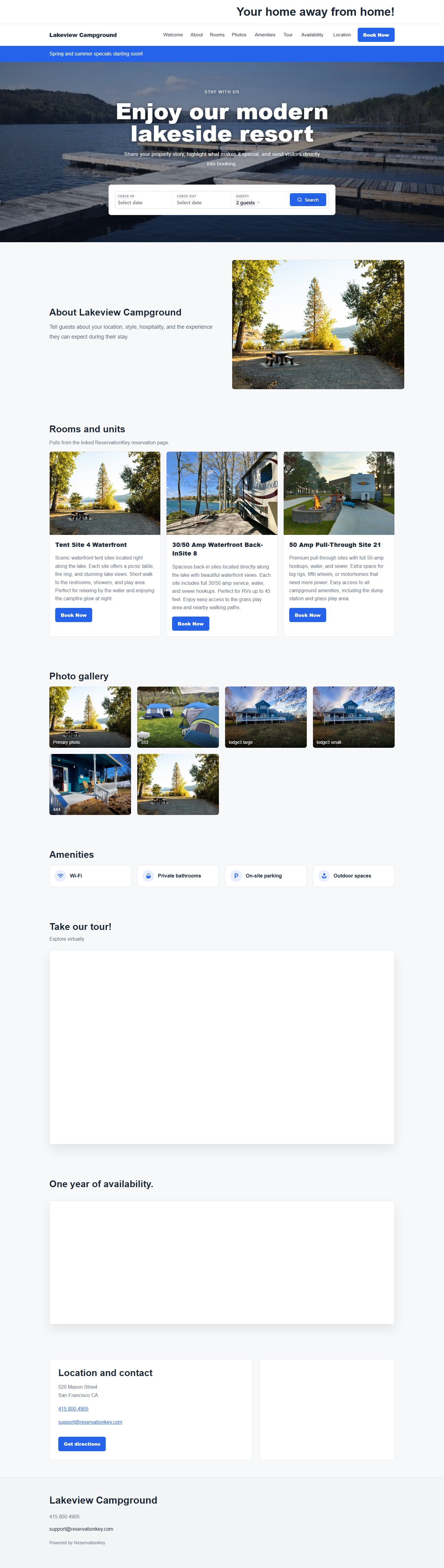
A campground-style website that shows how guests can browse property information, photos, amenities, maps, and availability from one connected booking experience.
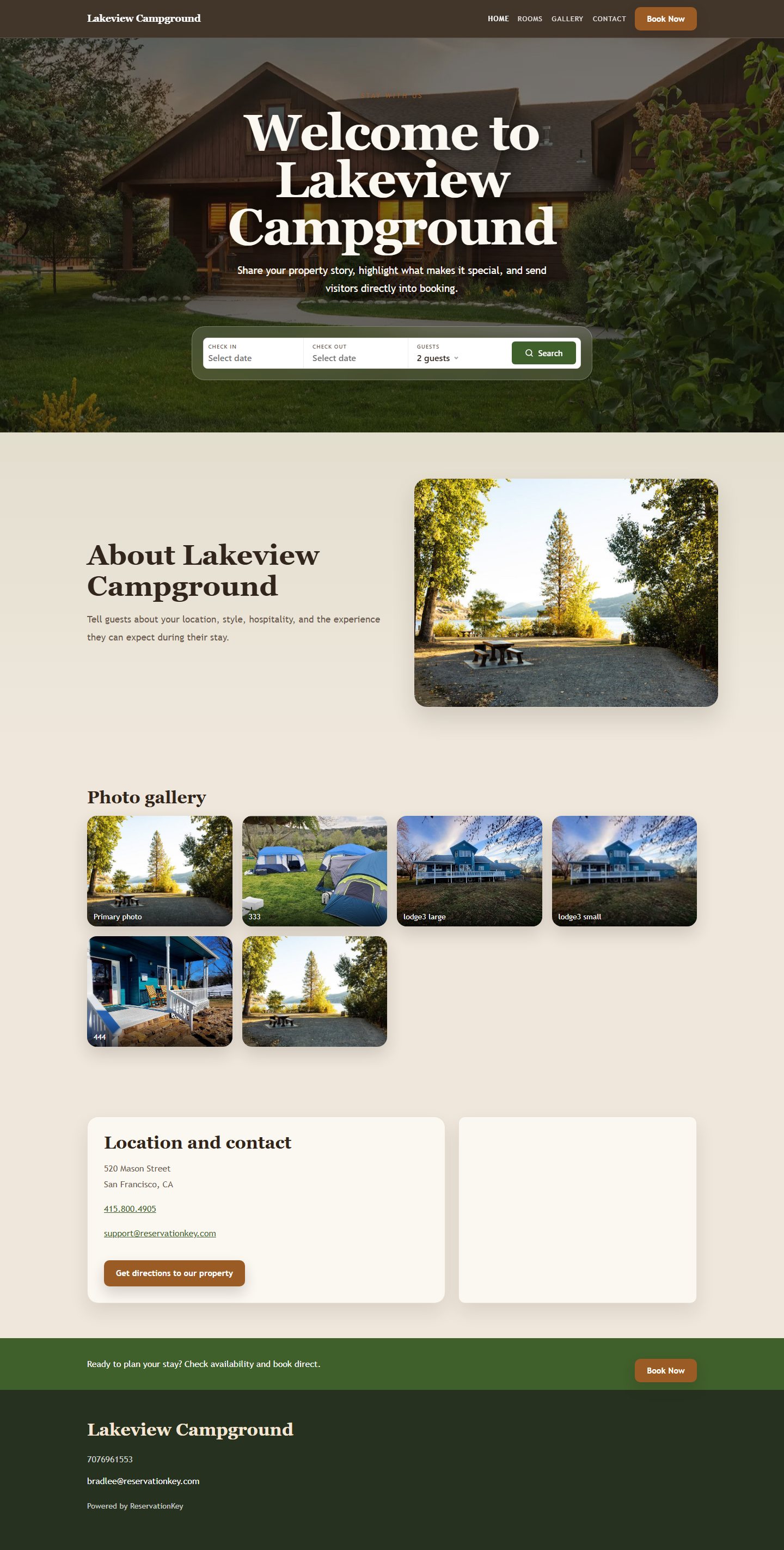
A multi-page motel website demo with room details, gallery content, property information, and a direct reservation flow built into the guest journey.
See how Website Builder helps you create a property website and connect it to ReservationKey booking tools.
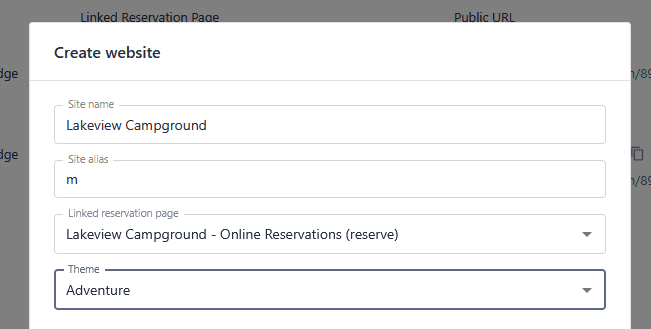
Generate a site from your existing property setup
When creating a website, you can enter a site name and alias, link the site to a reservation page, choose a theme, and select a single-page or multi-page template. The builder can also start with your account data, so rooms, units, photos, amenities, and contact details can be used as the foundation for the site.
This helps reduce setup time because the website starts from information you already manage in ReservationKey. You can still adjust content, navigation, photos, booking settings, and page structure before publishing the public version.
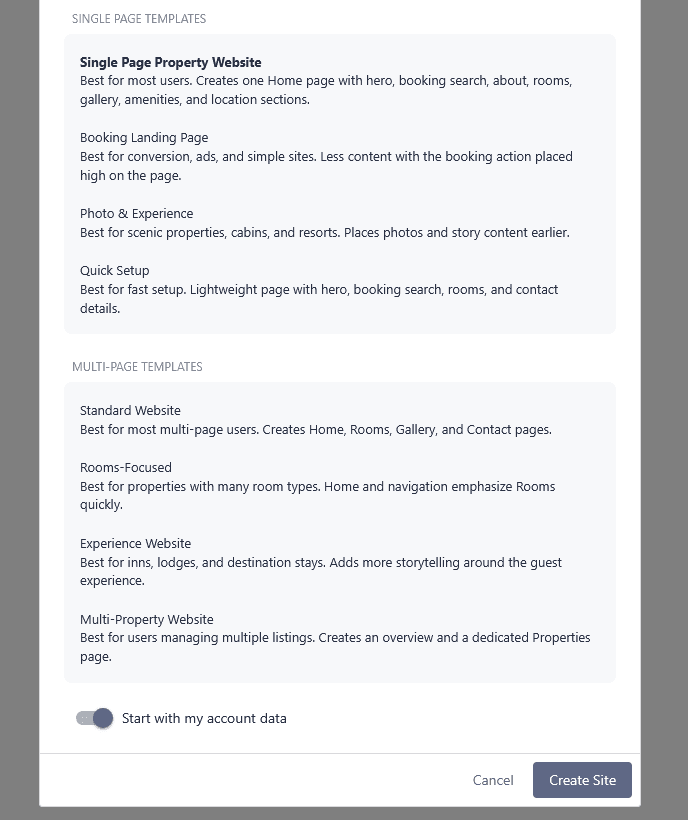
Match the site structure to your property and guest flow
Website Builder supports simple one-page sites and multi-page websites. A single-page site works well when guests need a concise overview, photos, amenities, location information, and a direct booking action in one flow.
Multi-page templates are useful when you want dedicated pages for rooms, galleries, location details, frequently asked questions, or other property information. Each page can have its own alias, navigation label, SEO title, SEO description, and publishing state.
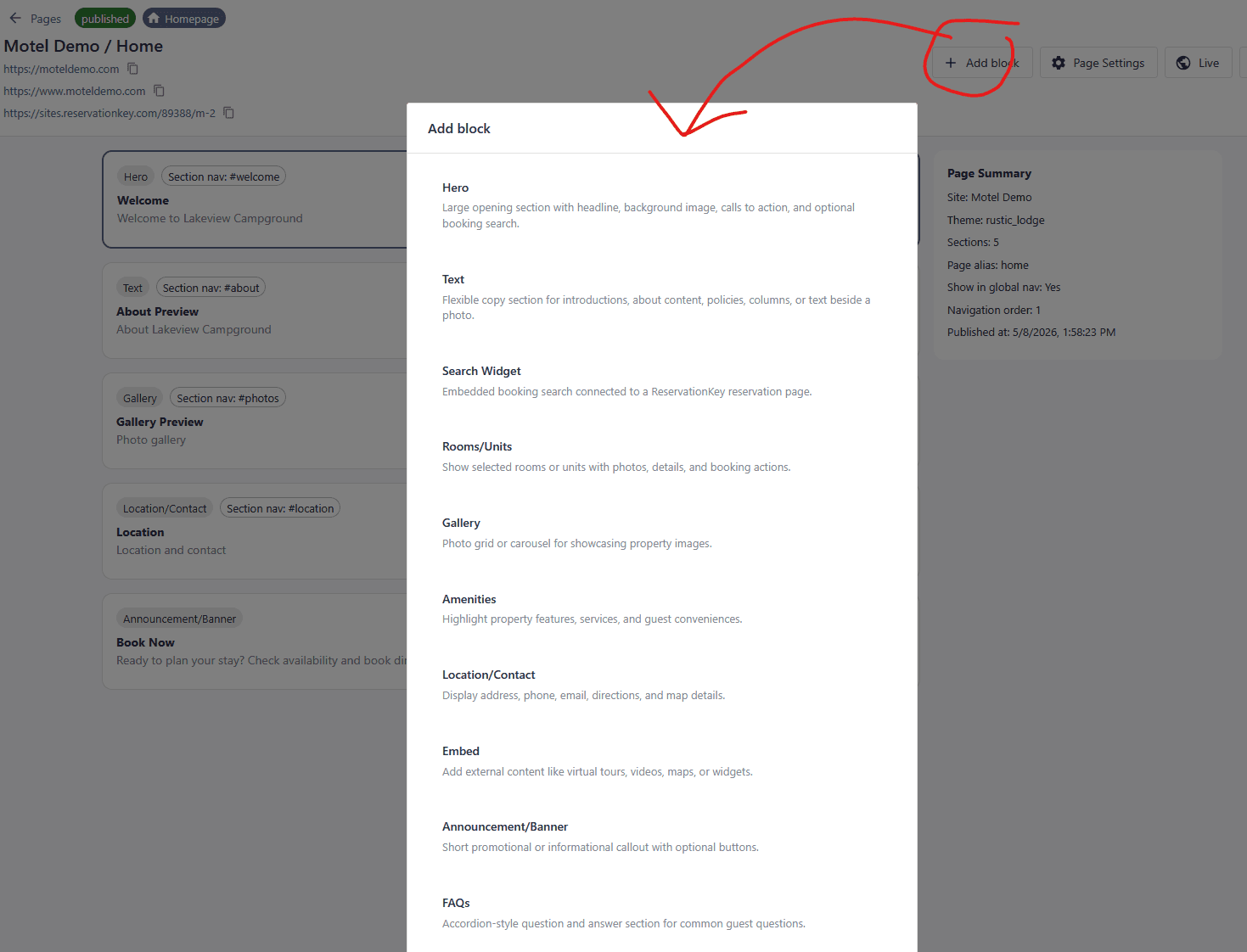
Add, reorder, duplicate, and customize page sections
Pages are built from blocks such as hero sections, text, search widgets, rooms or units, galleries, amenities, location and contact details, embeds, announcements, and FAQs. You can add blocks, select a block to edit its settings, drag blocks into a new order, duplicate useful sections, or remove sections you no longer need.
Each block can be tuned for the page it belongs to. For example, a hero can use property imagery and call-to-action buttons, a rooms block can highlight bookable inventory, and a location block can show address and map details.
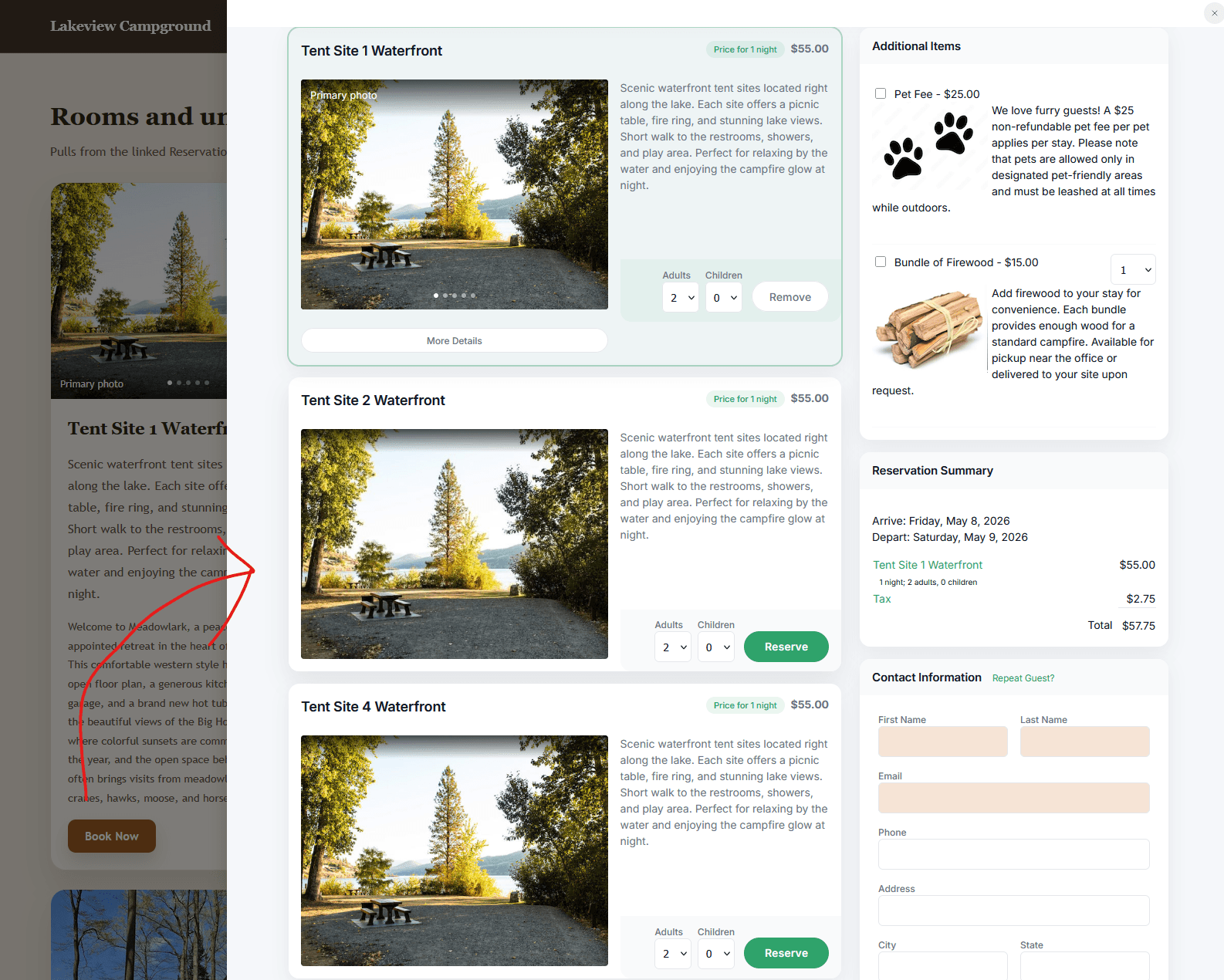
Use search widgets, booking buttons, drawers, links, and embedded reservation views
Website Builder connects directly to ReservationKey reservation pages, so guests can move from your marketing content into availability search and booking. Booking actions can open in the same tab, a new tab, a drawer, or an embedded iframe depending on how you want the guest flow to feel.
You can configure availability or calendar views, drawer width, guest controls, language, and button behavior. This gives the website a built-in path to direct reservations instead of sending guests through a disconnected third-party experience.
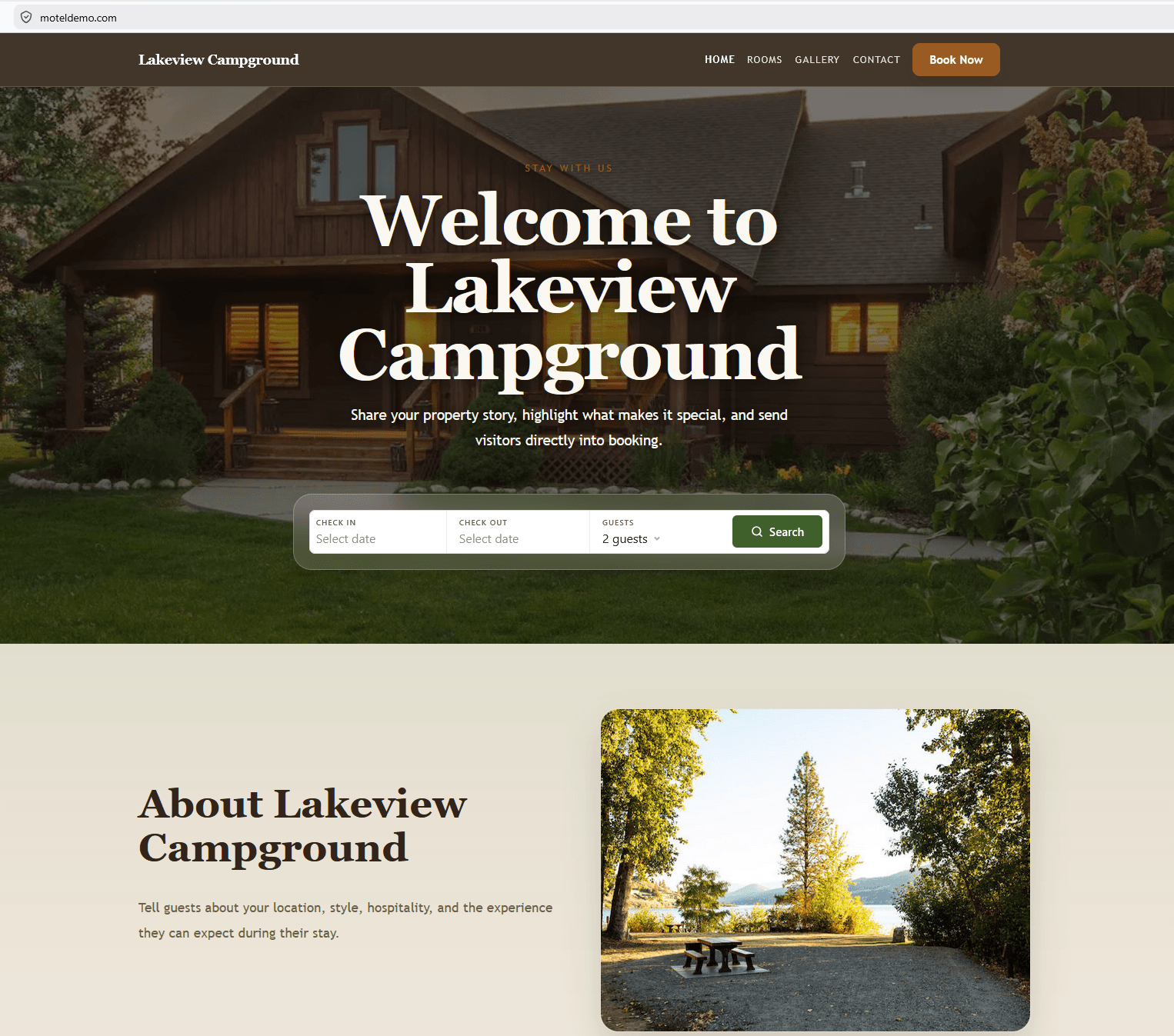
Adjust global site settings without editing code
Site settings include logo, favicon, top bar, colors, navigation alignment, global navigation, primary and secondary navigation buttons, footer content, contact details, social links, footer navigation links, GA4 tracking ID, and social preview image.
These settings keep the repeated parts of the website consistent across pages. You can update the brand presentation in one place while still editing individual page blocks for property-specific content.
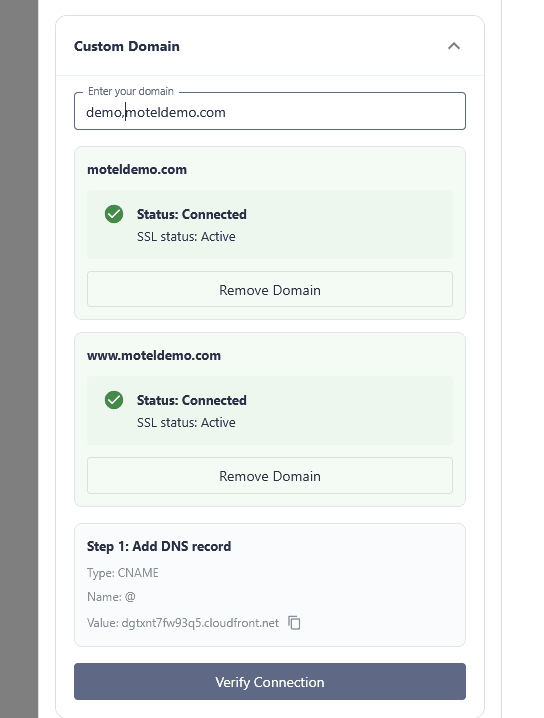
Preview changes before making them live
Website Builder separates draft changes from the published version. You can preview work, see when there are unpublished changes, publish at the site level, publish individual pages, and keep the live site on a stable published snapshot until updates are ready.
For a branded public site, you can add a custom domain, create the DNS record shown in the interface, verify the connection, recheck pending domains, and remove domains when needed. DNS changes can take time to propagate, so pending status may not clear immediately.
Website Builder focuses on the content and booking patterns that matter most for lodging, camping, rental, and hospitality businesses.
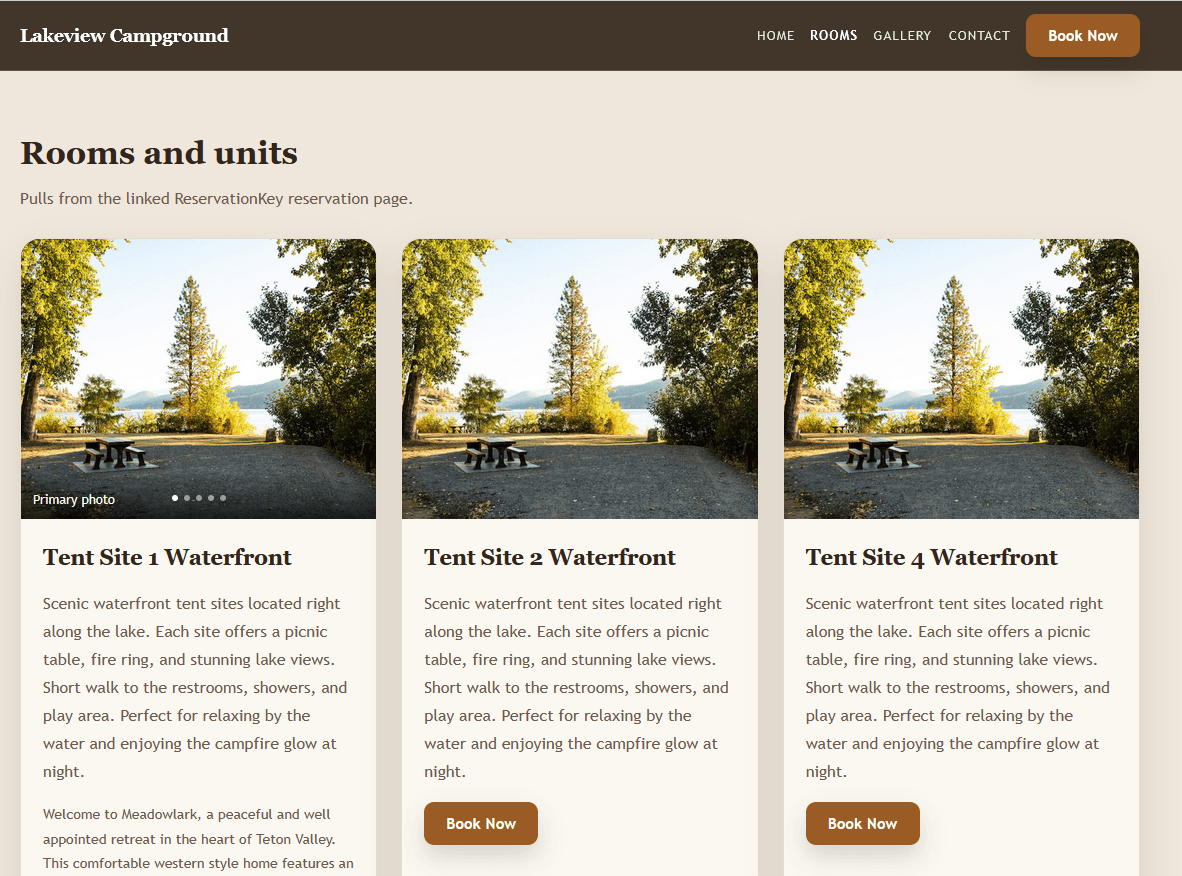
Add bookable rooms, campsites, cabins, slips, or rental units to website pages and connect them back to ReservationKey availability.
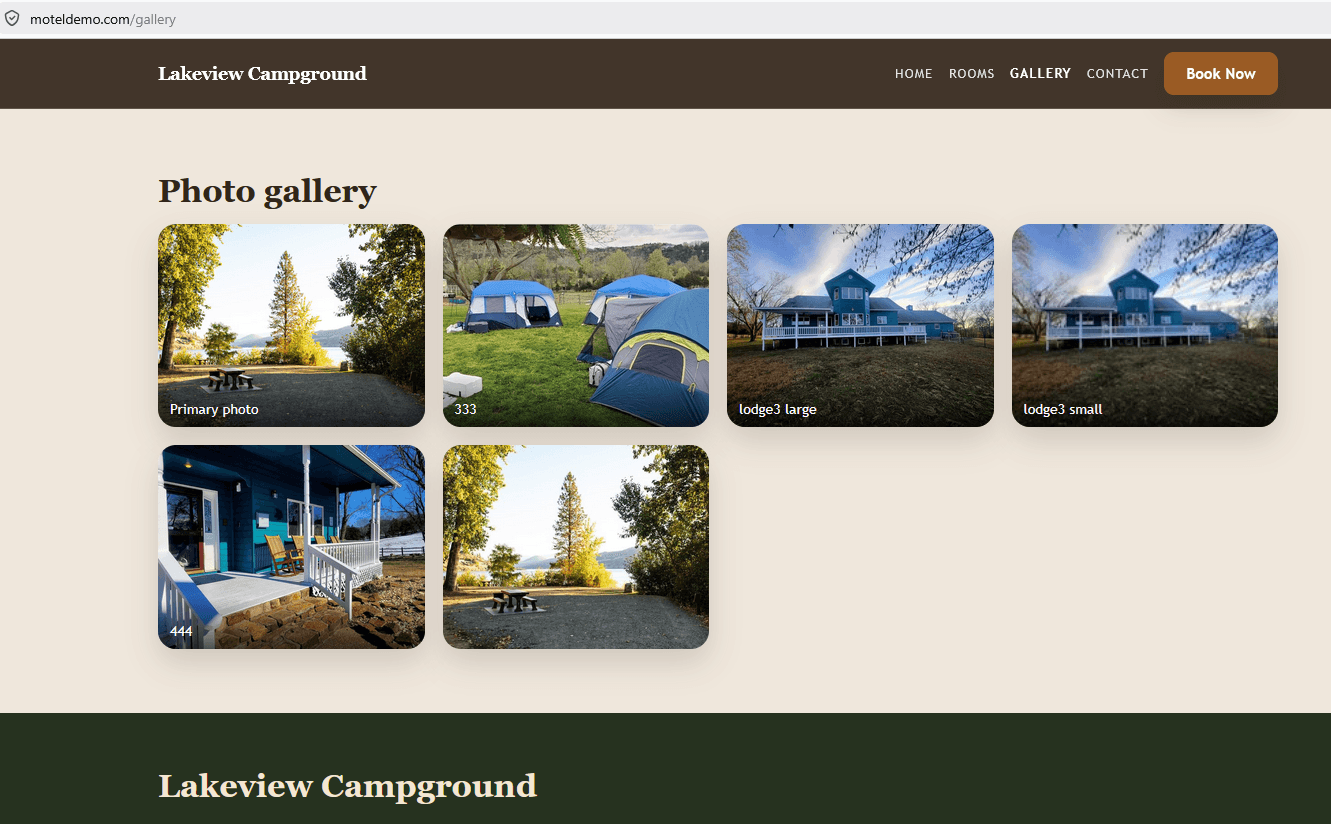
Use property imagery to build galleries, hero sections, and visual pages that help guests understand the experience before they book.
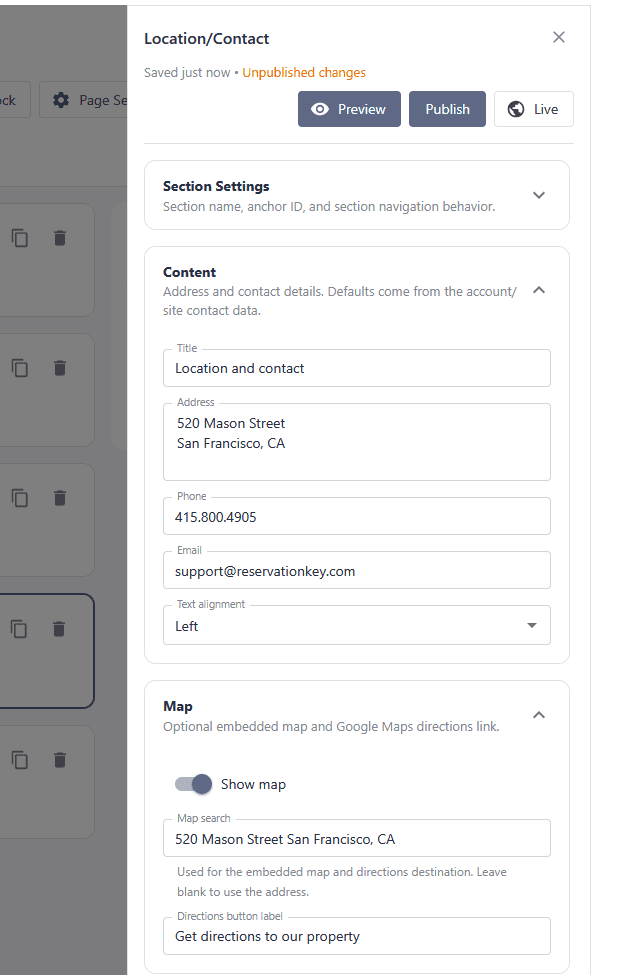
Add address, contact, map, and location details so guests can quickly understand where you are and how to reach you.
Use Website Builder to create a direct booking website that stays connected to your ReservationKey rooms, availability, booking pages, and property details.
Start Free TrialReservationKey Website Builder is a website creation tool inside ReservationKey that helps you build and publish a property website connected to your reservation pages, rooms, units, photos, and booking workflow.
Yes. Website Builder connects to ReservationKey reservation pages and supports booking buttons, search widgets, drawer booking, same-tab or new-tab links, and embedded booking views.
Yes. You can add a custom domain, create the DNS record shown in the interface, verify the connection, recheck pending domains, and remove a domain if you no longer want it connected.
The builder uses draft and published states. You can preview draft changes and publish when you are ready, so the live website stays on the published version until updates are released.