ReservationKeyReservationKey
Pricing
DemoBook a DemoFree Trial
Log In
ReservationKey

Trusted by hospitality businesses since 2007

Founded in 2007, ReservationKey was created to offer a simple, yet powerful and affordable solution for managing reservations and displaying availability online. Our goal is to deliver top-quality software that fulfills our users' needs — simple, efficient, and budget-friendly.

Start Your Free TrialBook Your Demo

Solutions

  • Hotels & Motels
  • Bed & Breakfasts
  • Vacation Rentals
  • Resorts & Cabins
  • Campgrounds
  • Vehicle Rentals
  • Boats & Marinas
  • Ranches & Lodges

Resources

  • User Guide
  • Video Library
  • Blog
  • Contact Us

Copyright © 2007 - 2026 ReservationKey, LLC - All rights reserved.

support@reservationkey.com|+1.415.800.4905

System Feature

Internal Calendar Grid

Clean and concise reservation management

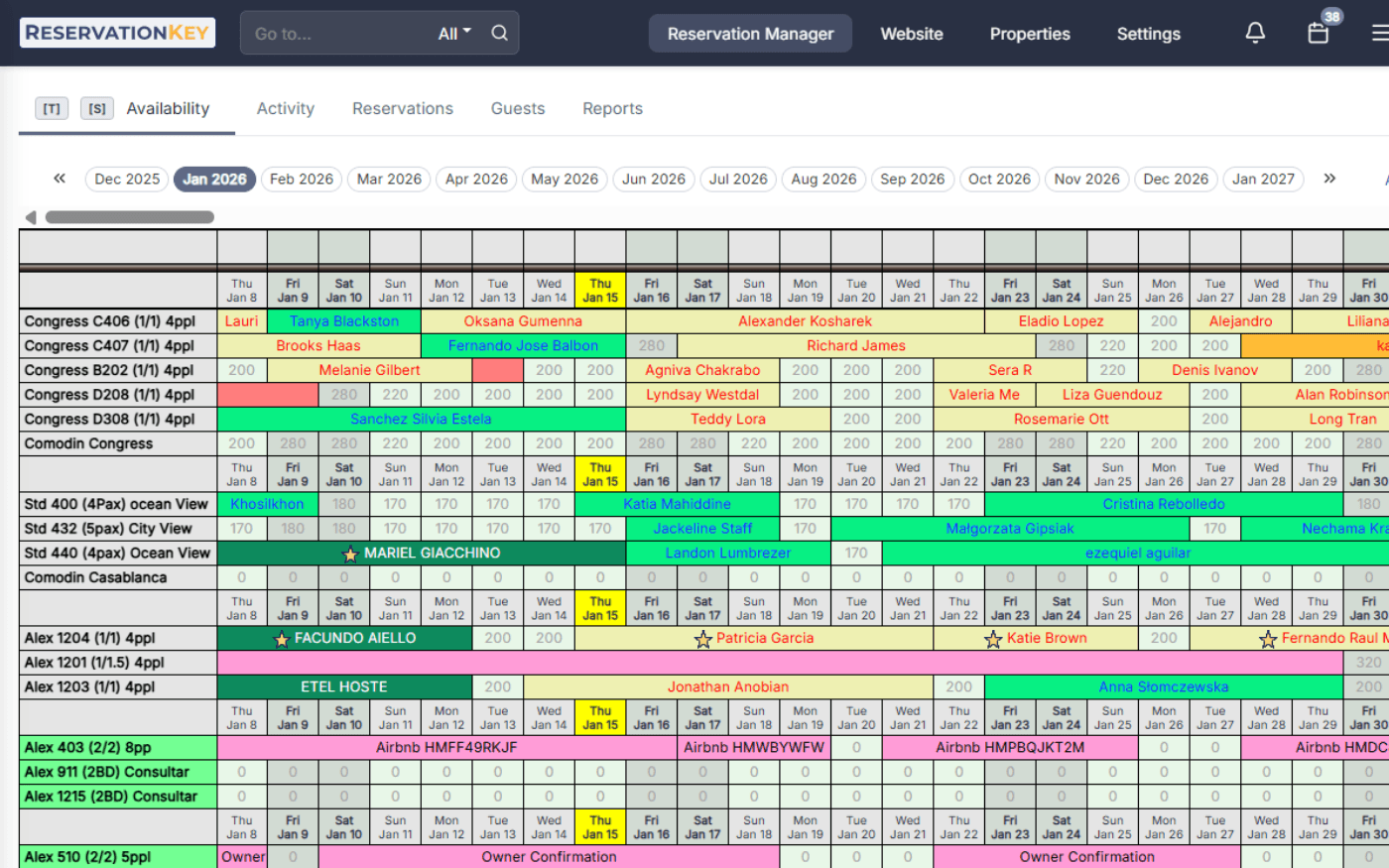
Our internal calendar acts as your operational dashboard, giving you a clear view of availability, guest status, and daily activity in one place.

With flexible preferences and visual controls, you can adapt the calendar to how your team actually works.

Start Free Trial
ReservationKey internal calendar view
Calendar view with availability and guest status

Easy to Read

Your availability at a glance

The ReservationKey calendar is designed to be clean, concise, and easy to scan so you can review bookings and availability quickly.

Customize status colors, flag reservations with icons, and add reminders so the view matches your workflow.

ReservationKey drag-and-drop calendar scheduling

Drag and Drop

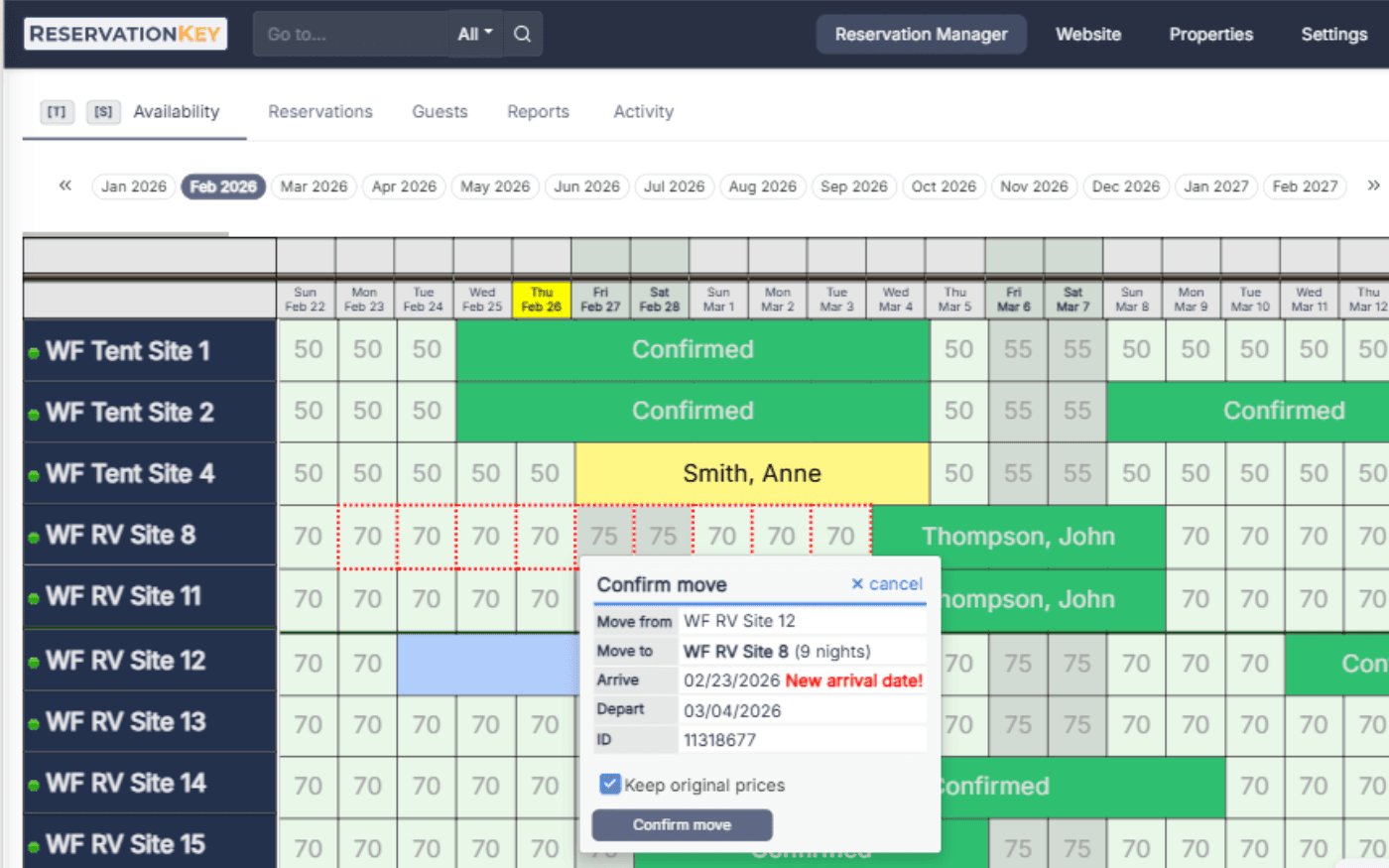
Move reservations in seconds

Rearrange bookings by clicking and dragging reservations directly on the calendar.

This reduces admin time and makes schedule changes fast without digging through multiple menus.

Book by type calendar inventory management

Book by Type

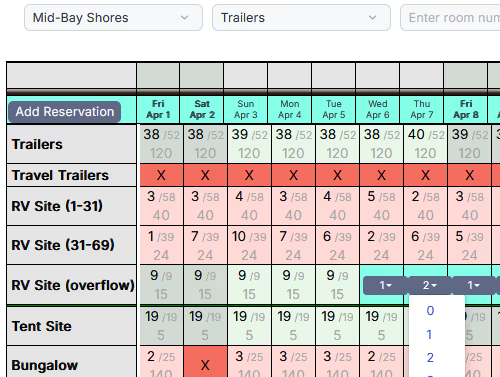
Easily manage multiple units

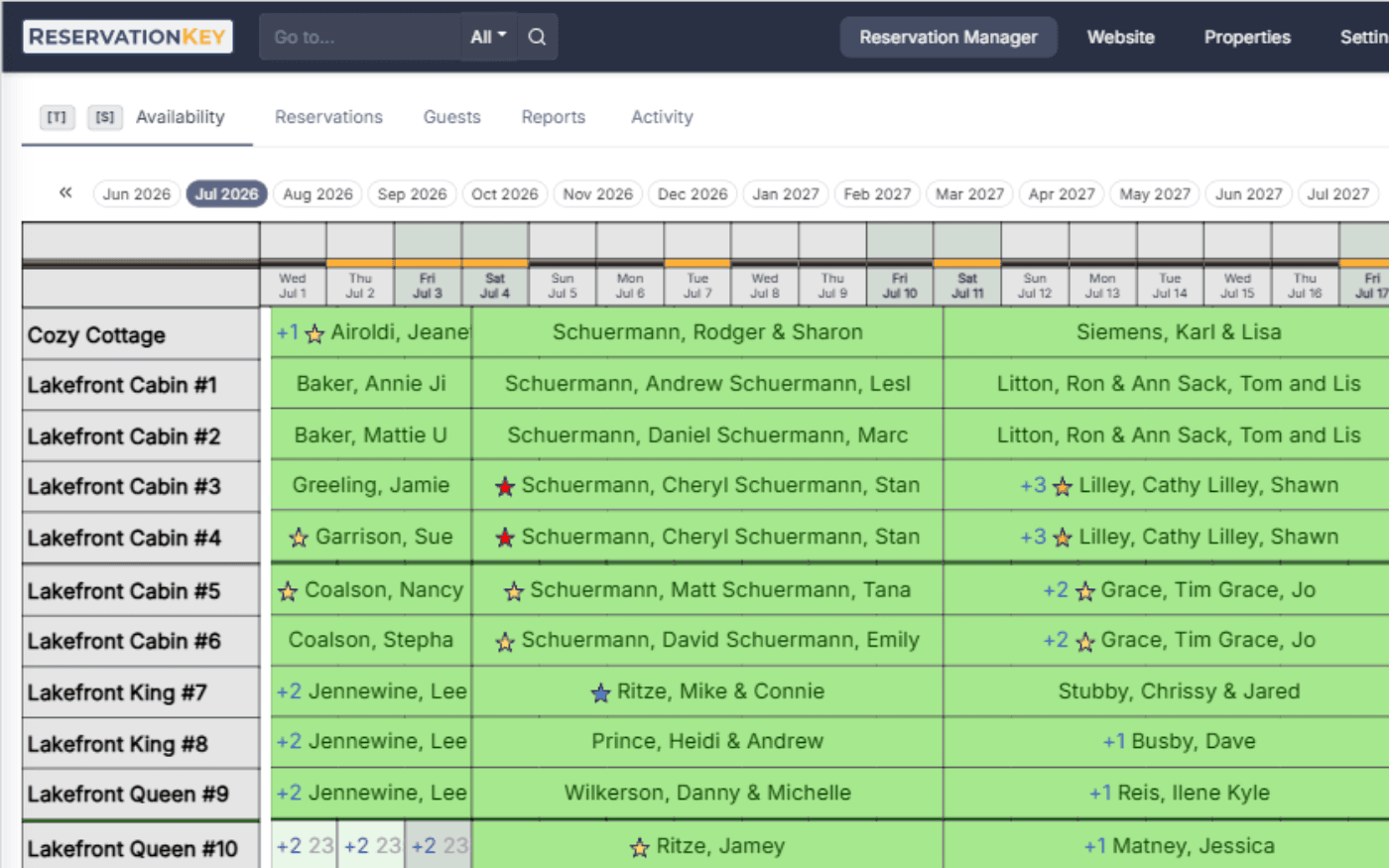
Book by Type lets you manage inventory by room or unit type rather than one unit at a time.

It works well for hotels, campgrounds, vehicle rentals, and appointment-based businesses that need quick capacity snapshots.

Calendar map view for unit availability

Map View

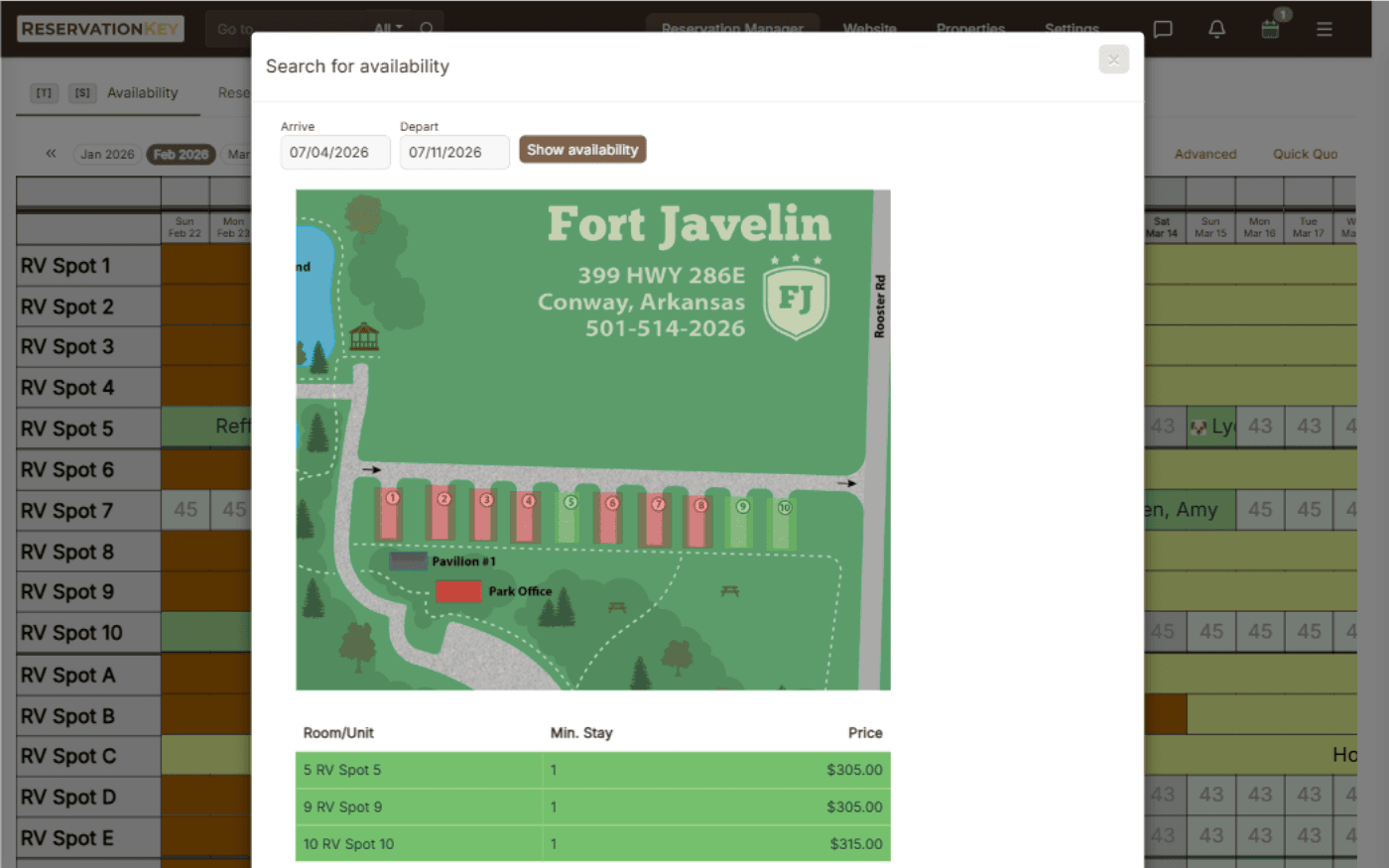
Interactive property map for bookings

Map View visualizes availability on a property map so staff and guests can quickly identify open units.

You can customize map colors and use multiple maps for larger properties with complex layouts.

Reservation details page in ReservationKey

Reservation Details

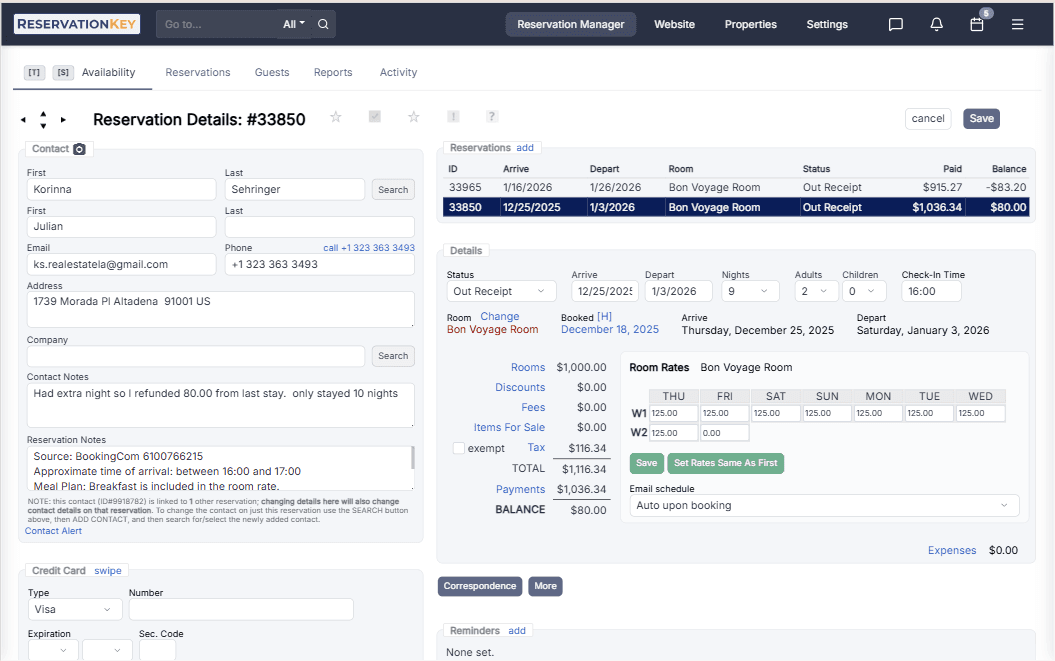
Complete reservation overview

Each booking includes a clear detail view with guest history, correspondence, and payment actions.

Keep operational and guest information in one place so front desk and management teams stay aligned.

ReservationKey waiting list in calendar

Waiting List

Never miss a booking opportunity

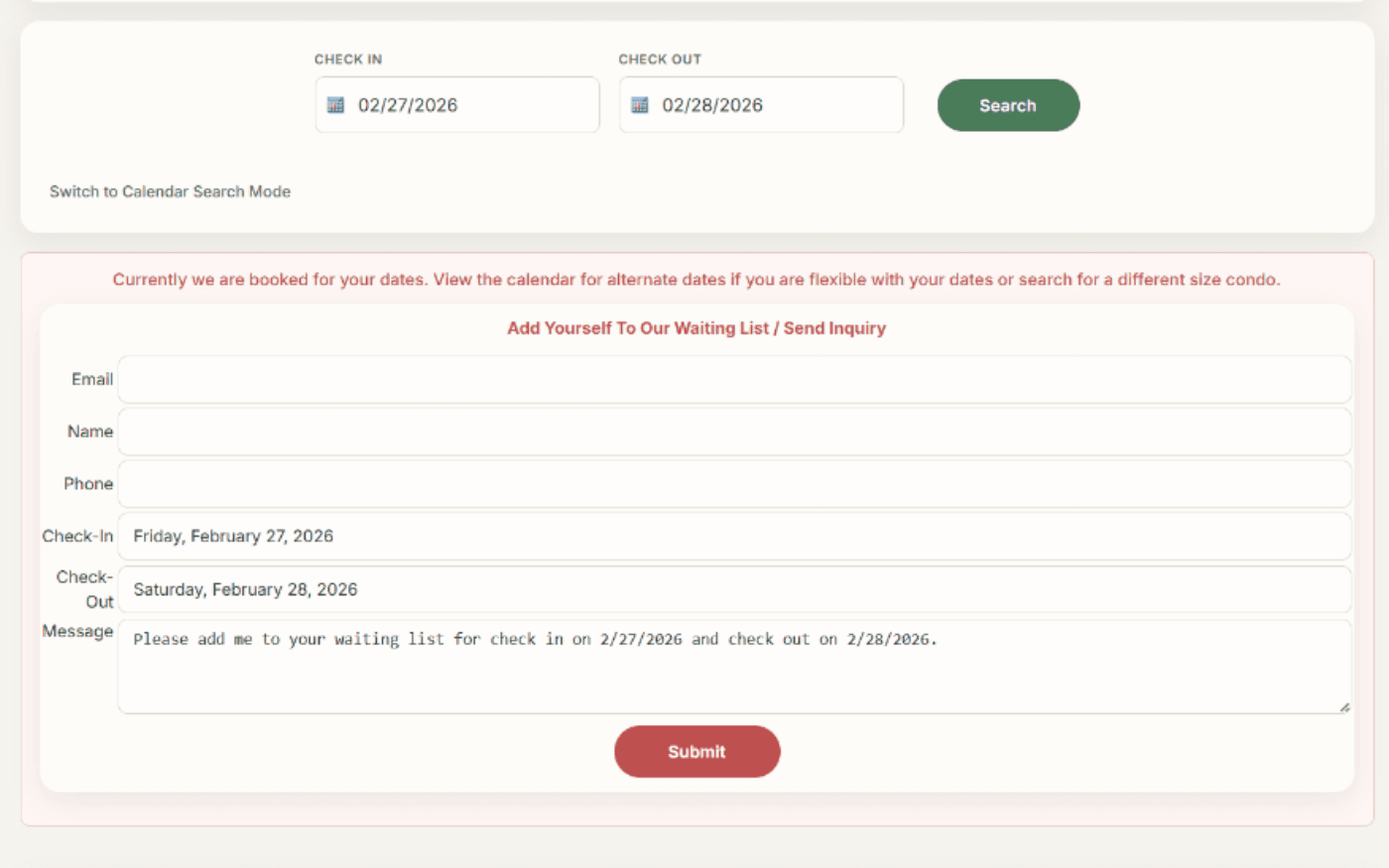
When dates are unavailable, you can add guests to a waiting list directly from the calendar workflow.

If availability opens up, your team can follow up quickly using stored request and contact details.

Housekeeping and room status management

Housekeeping

Track cleaning and room status

Housekeeping indicators show which units need turnover, arrival timing, and departure timing so tasks are easier to prioritize.

Shared status visibility helps teams coordinate completed and pending cleaning work across the property.

Discover more features

Request a demo and see how quickly your team can manage reservations from one clear calendar view.

Request Your Demo

Frequently Asked Questions

You can move reservations to new dates or units by dragging them on the calendar. Changes are saved immediately and reflected in your availability.

Yes. ReservationKey supports multi-unit and multi-property calendar views so you can monitor availability side by side.

Yes. You can use different views and visual settings such as status colors and filters to organize bookings in the way that works best for your team.